- Discovery MR750 3.0T System Service Methods
- 5690009-2EN Revision 4
- 00000018WIA30D52530GYZ
- id_180883024.0
- Jul 19, 2019 10:55:55 AM
T-file cleanup
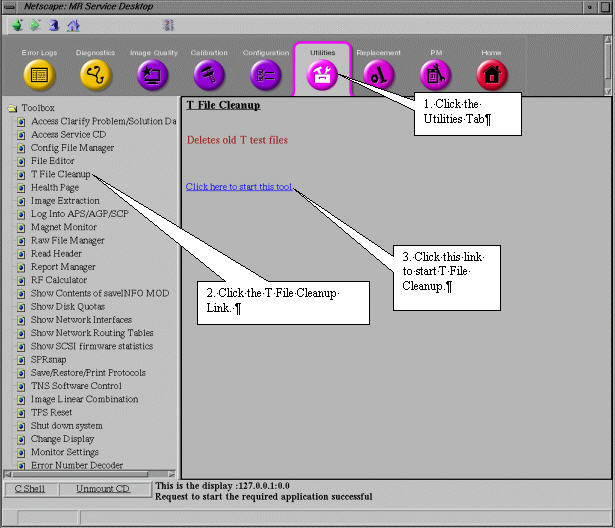
- To access T File Cleanup, click on the Service Desktop icon.
- If it is not already running, start the Service Browser.
- Click the Utilities tab.
- Under Toolbox, select T File Cleanup.
- Select Click here to start this tool. See Figure 1.
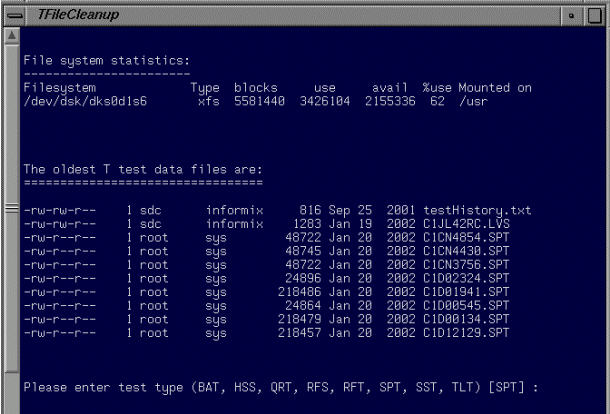
Figure 2 shows the T File Cleanup Interface.
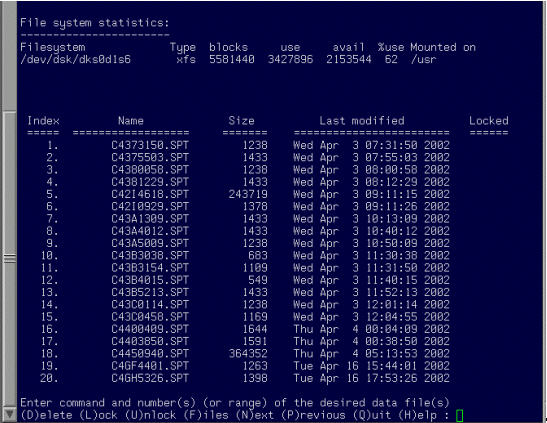
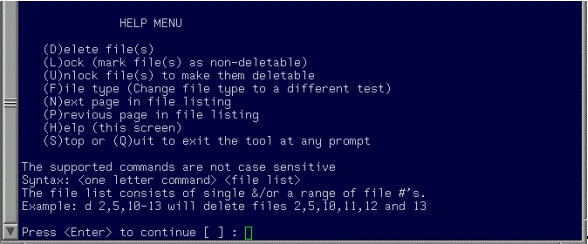
Selecting the test type from the list of available types results in the display shown in Figure 3. In this example the default test type SPT was selected. Help information is available for each of the listed commands by selecting H. See Figure 4.