- Optima MR450w BASE 1.5T System Service Methods
- 5690012-2EN Revision 3
- 00000018WIA30C95350GYZ
- id_20204612.11
- Jun 9, 2021 12:09:33 PM
Removing the secondary latch actuating cable
Removes the secondary latch actuating cable from the dockable patient table.
Procedure
Lower the table lock safety bar.Warning 
Figure 1. Table Lock Safety Bar 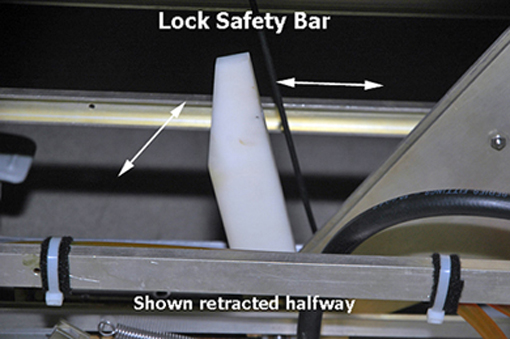
- Remove front base cover.
Figure 2. Front base cover 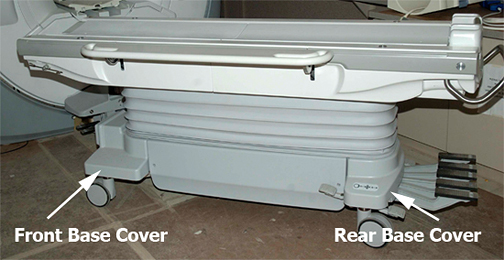
- Note: Pressing the actuating button engages the secondary cradle latch cable and causes the pin stop to move down flush with the table top surface, allowing the cradle to slide forward.Manually slide the cradle forward and prop up the cradle to expose the pin housing and push rod. See Removing Cradle Assembly.
Figure 3. Prop up cradle 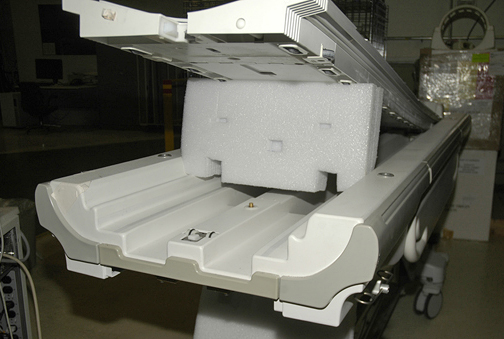
- Loosen the set screw at the end of the push rod and cable feed lock nut to unfasten the cable end.
Figure 4. Push rod 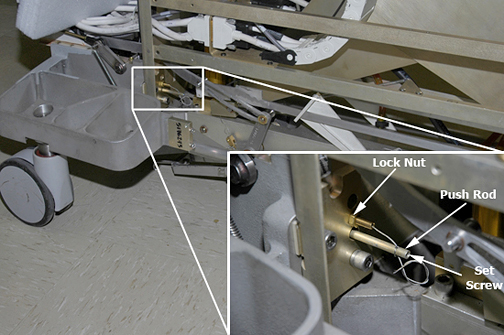
- Pull the cable out of the pin housing.
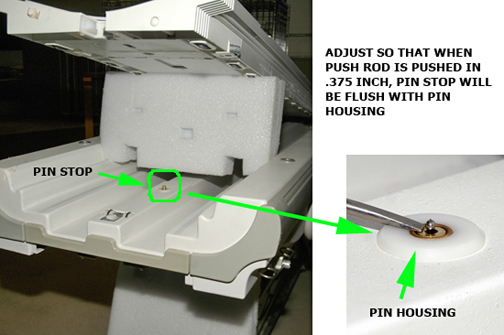
Figure 5. Pin housing and push rod 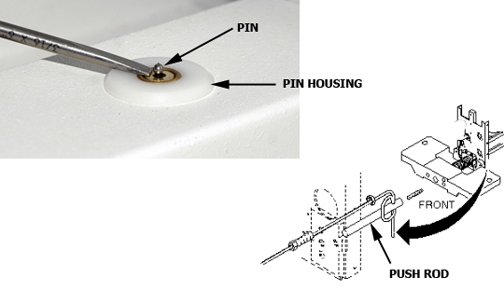
Figure 6. Pin housing