- SIGNA™ Hero 3.0T Service Methods
- 5852800-8EN Revision 1.0
- 00000018WIA304E3840GYZ
- id_20148301.15
- Oct 26, 2021 10:31:01 PM
Removing the PS filter box
Remove the PS filter box from the Integrated System Cabinet (ISC) Penetration Wall (PW).
Prerequisites
| Personnel requirements | |||
|---|---|---|---|
| Required persons | Preliminary requirements | Procedure | Finalization |
| 1 | - | 15 minutes | 10 minutes |
| Tools and test equipment | |||
|---|---|---|---|
| Item | Quantity | Part number | Manufacturer |
| Nonmagnetic Titanium Service Tool Kit, Small Set | 1 | 5113258 | - |
About this task
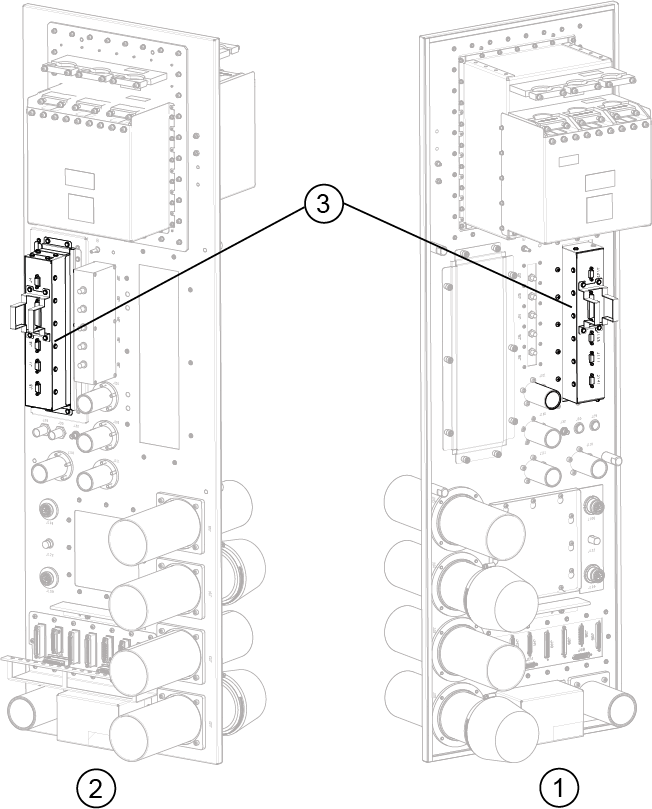
| Item | Description |
|---|---|
| 1 | Scan room side |
| 2 | Equipment room side |
| 3 | PS filter box |
Procedure
- On the scan room side of the Penetration Panel, disconnect the PS filter box cables.
Figure 2. Scan room PS filter box cables 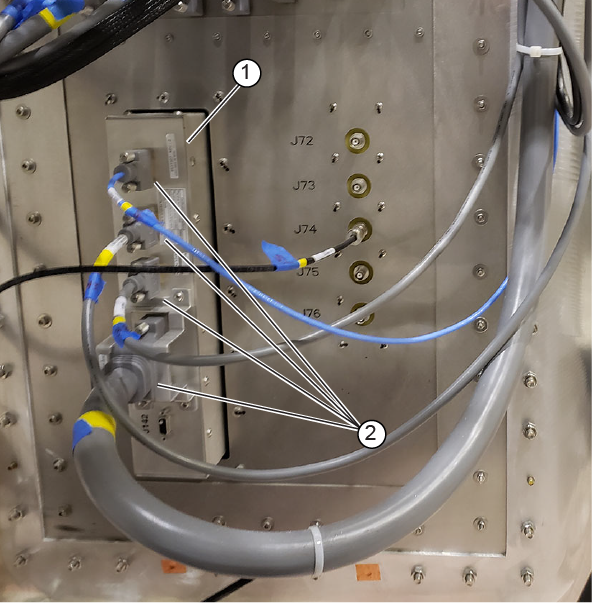
1 PS filter box 2 PS filter box cables - On the equipment room side, disconnect each of the PS filter box cables.
Figure 3. Equipment room PS filter box cables 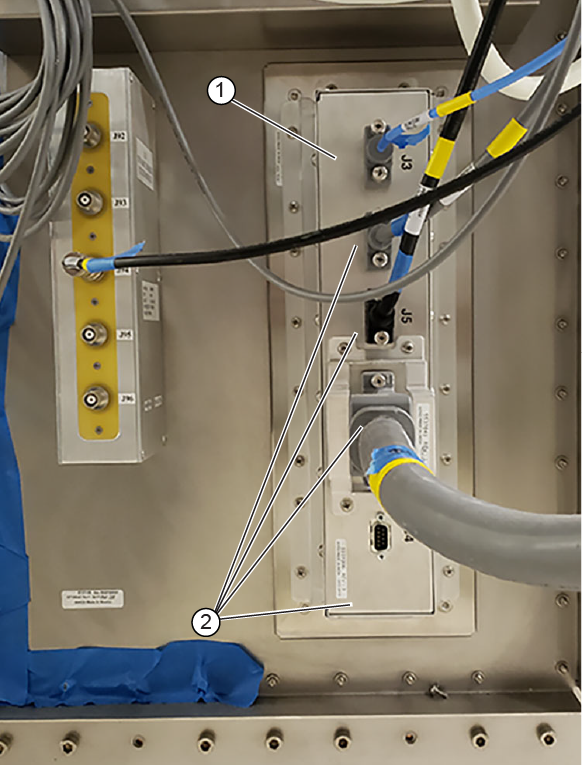
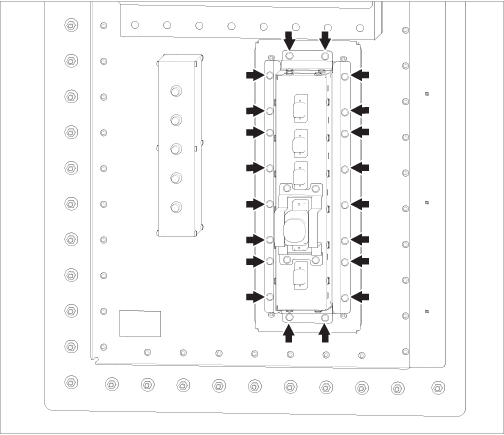
1 PS filter box 2 PS filter box cables - On the equipment room side, remove the 20 screws securing the PS filter box to the Penetration Panel.
Figure 4. Screw locations