
- SIGNA MR355 / SIGNA MR360
- Service Manual
- 5856356-3EN Revision 5.0
- Basic Service Documentation. Copyright General Electric Company.
- 00000018WIA30128F20GYZ
- id_131069552.0
- Jul 19, 2019 11:00:04 AM
TR Dynamic Disable Calibration
Prerequisites
| Required persons | Preliminary requirements | Procedure | Finalization |
|---|---|---|---|
| 1 | Not Applicable | 3 minutes | Not Applicable |
| Condition | Reference | Effectivity |
|---|---|---|
|
All cables and body coil connected | - | - |
About this task
This calibration should be run on:
-
System installation
-
T/R DD Board replacement
-
Body Coil replacement
-
Body Hybrid replacement
-
Replacement of cabling between any of the above.
Procedure
- Click Run to start the calibration procedure.
The calibration will complete with results given in the Test Results
text area.
Figure 1. T/R Dynamic Disable Open Limit Calibration 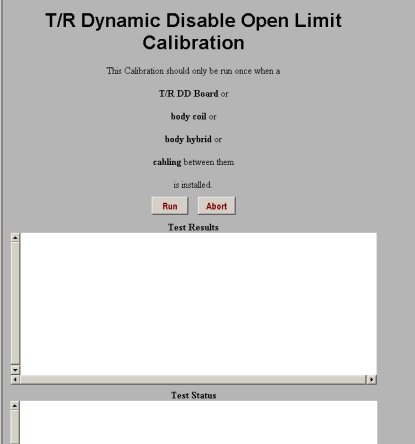
Finalization
No finalization steps.