- SIGNA MR355 / SIGNA MR360
- Service Manual
- 5856356-3EN Revision 5.0
- Basic Service Documentation. Copyright General Electric Company.
- 00000018WIA308F9060GYZ
- id_20289252.1
- Jun 23, 2021 10:51:44 PM
Installing SV29.1 or SV25.4 and later (USB load only) on a new system
Install the host system software for SV29.1 or SV25.4 and later (USB load only).
| Notice | |
|---|---|
 | |
| Loading software | |
|---|---|
| Step | Procedure for USB load only |
|
Prerequisites |
|
|
Note: Refer to the MR Service Pack Software Matrix (DOC1667089), available from the online documentation library and make sure the necessary service pack media (if any) is available. Do not start the software load until this media is available.
| |
|
Required media |
|
|
Load USB host system software |
Loading USB host system software Note: The Host OS Load, Applications Software Load, and ICN OS copy actions should complete automatically. The Configure ICN action may fail, which would be reported as a failure in the final report.
If any failures occur prior to the Applications Software Load completion, restart the Software Load process. For a list of errors and possible actions during the software load procedure, see Troubleshooting the software load. |
|
Loading proprietary software |
This task is automated. In case of any failure, this can be attempted manually. |
|
Configure ICN (VRE) OS |
This task is automated. In case of any failure, this can be attempted manually. See Configuring the ICN - VRE. |
|
System configuration |
Complete network configuration, system configuration, hardware configuration, and Security levels for software 29.0 and later configuration in Guided Install. Complete any other site configuration as needed in Guided Install and click Configure in each tab. |
|
RSvP registration |
Register device with RSvP to establish remote connectivity. See Configuring the Remote Service Platform (RSvP) for software 29.0 and later. See Enabling the Remote Service Platform (RSvP) iLinq to enable iLinq. |
|
Install SSA |
|
|
Install options/option keys |
For the purchasable option keys, see Option key catalog matrix. Note: Signa Secure Advanced option: If the customer purchased this license, configure the security setting in Guided Install to Signa Secure Advanced. The system must be restarted to enable the highest security configuration in Guided Install.
|
|
Install operator manual | |
|
Install latest service pack (if required) |
See Loading software updates from repository or CD/DVD or Installing updates from Remote Software Download (RSD). Note: Refer to the MR Service Pack Software Matrix (DOC1667089), available from the online documentation library and make sure the necessary service pack media (if any) is available. Do not start the software load until this media is available.
|
|
Close Guided Install from File → Quit option and then reboot the system |
|
|
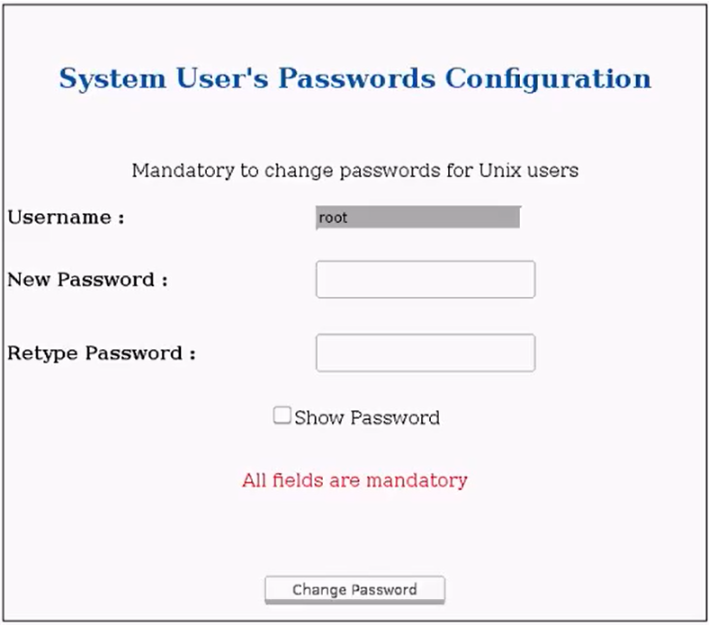
Setup temporary OS Passwords (for time period during calibration) |
|
|
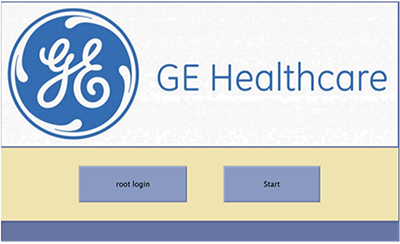
Login to Applications |
Click Start to log in to applications.
 |
|
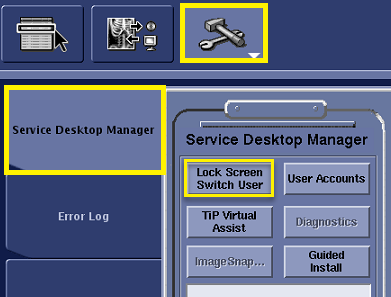
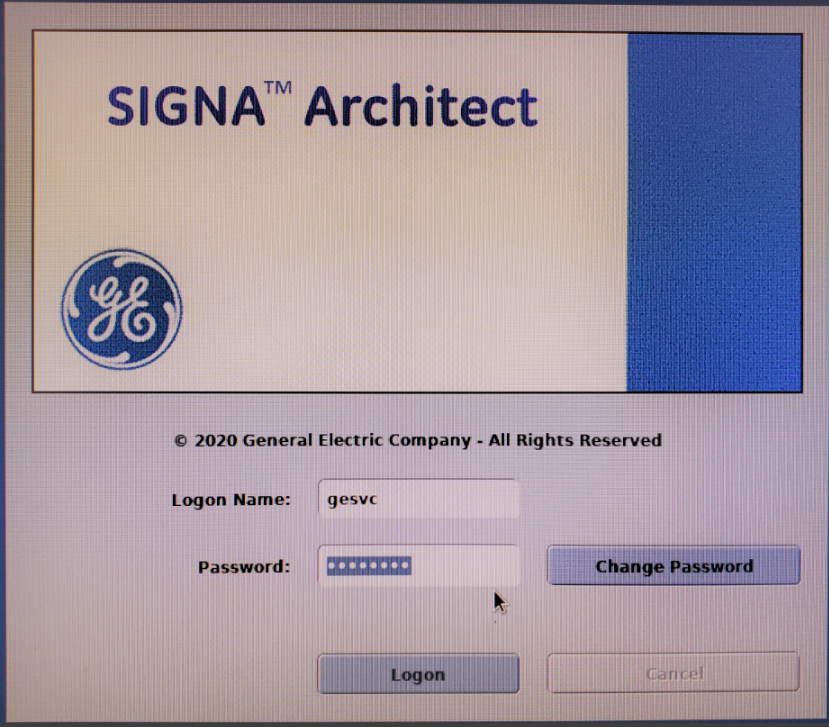
Setup EA3 gesvc password |
|
|
EA3 User Group Establishment |
Add EA3 users to their correct user groups to establish the correct permissions. For information on adding user groups, see Configure user accounts for Role Based access controls. Note:
Add the gesvc user to groups:
Add the administrator user to groups:
|
|
System Calibration |
Continue with the next steps in the Installation and Calibration Wizard. Refer to Installation and calibration wizard (ICW) Installation mode for your product. Note: The first reboot after Install In Spec (IIS) key is generated the system will force the password setup for customer OS and EA3 accounts. Contact the customer at this point to prepare for their password setup and have the customer present at post IIS reboot time.
|