
- Optima MR450w BASE 1.5T System Service Methods
- 5690012-2EN Revision 3
- 00000018WIA309D4840GYZ
- id_20149246.0
- Feb 22, 2021 9:54:49 PM
Removing the CMOS battery - Dell T5820
Remove the CMOS battery from the host computer.
Procedure
- Remove the two screws that secure the left side panel of the GOC.
Figure 1. GOC left side panel 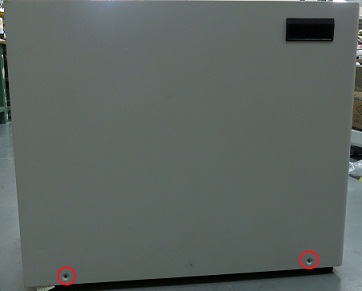 Note: The side panel has a short ground lead connecting it to the main chassis. When removing the side panel, do not strain this ground lead.
 - Disconnect the short ground lead that connects the side panel to the GOC main chassis at the center of the lead.
Figure 2. Left side panel ground lead 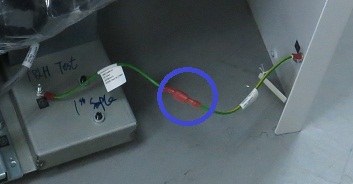
- Remove the side cover.
- Press the latch.
Figure 3. Latch 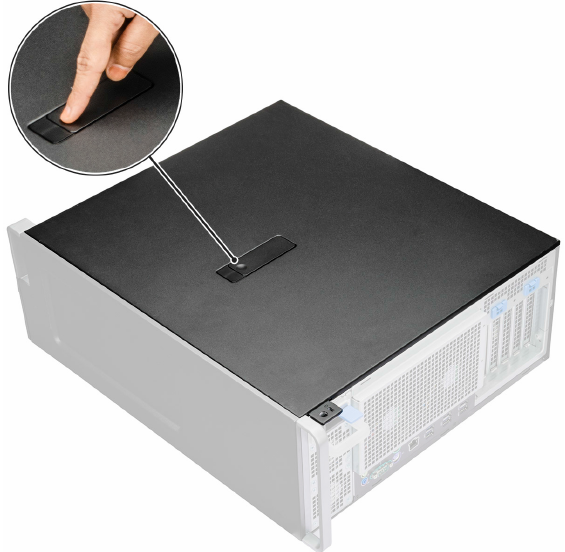
- Pull the latch upward and rotate it to release the cover.
Figure 4. Release the cover 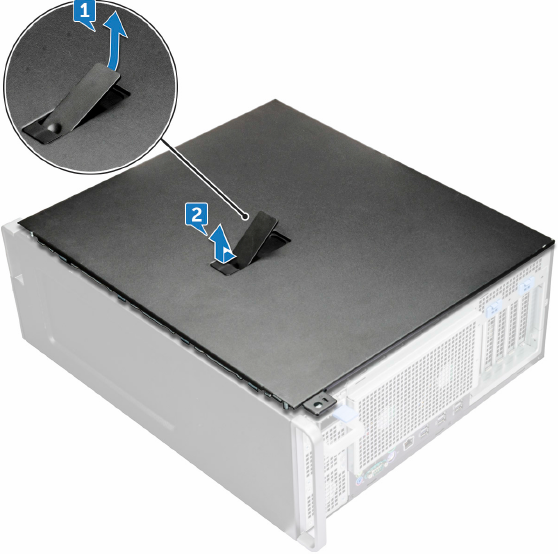
1 Pull the latch upward 2 Rotate the latch to release the cover
- Press the latch.
- Move the latch away from the battery to remove the battery from the socket.If necessary, you can use a small screwdriver to remove the battery.
Figure 5. Removing the battery 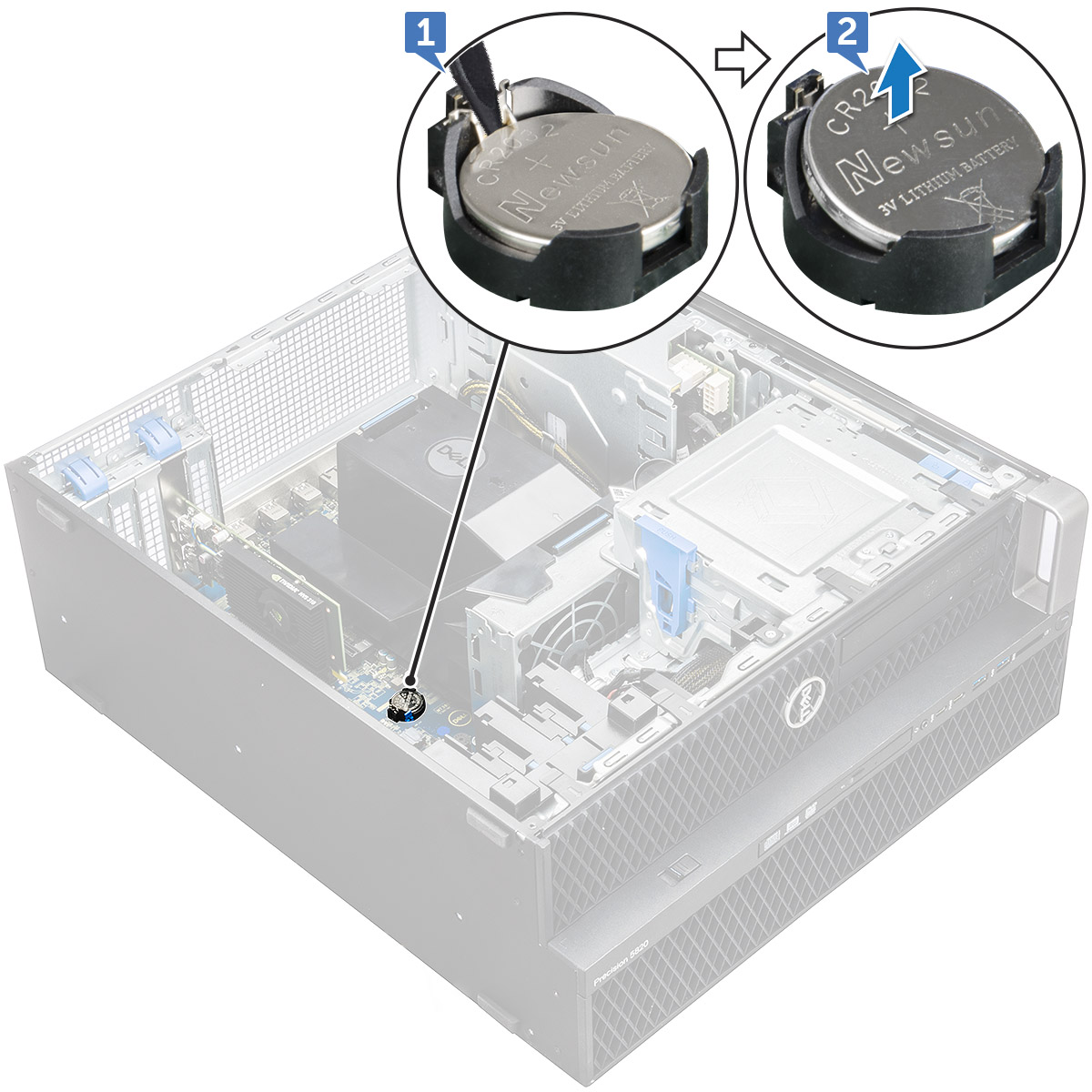
1 Move the latch away from the battery 2 Remove the battery from the socket