Installs the hydraulic filter in the dockable patient table.
Prerequisites
CAUTION
Possible equipment damage
When reassembling the filter cap, avoid damaging the gasket, and ensure that it is properly seated before tightening with a wrench.
If the gasket is deformed, oil will leak out of this connection when reassembled.
Procedure
Clean the outside threads on both ends of the filter body with a clean cloth.
Clean the interior threads of the filter cap with a clean cloth.
Install the new filter, hole end down, into the filter body.
Install the filter cap and new gasket onto the filter body, and ensure the gasket seats properly before tightening with a wrench.
Reconnect the hose to the cylinder block, and tighten by hand.
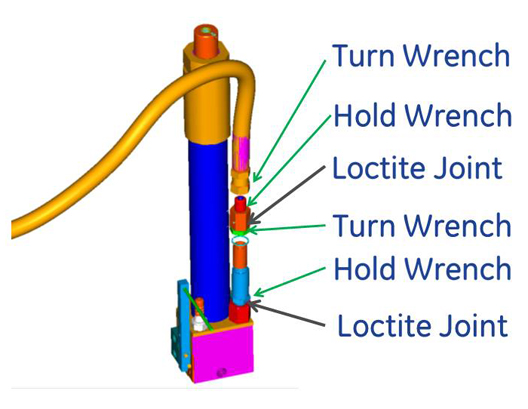
Raise the table with the Up foot pedal to allow clearance for the wrenches (if necessary), and tighten the hose fitting securely.
Figure 1. Positions for wrenches on hydraulic hose connectors
Raise the table using several pumps on the Up foot pedal, and check for any oil leaks. If a leak occurs, tighten the connections snugly, but do not over tighten; brass fittings will deform if overtightened.
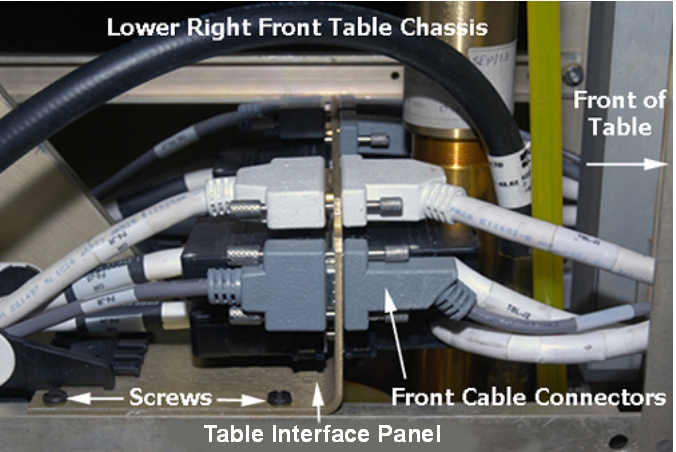
If a Table Interface Panel (TIP) is present:
Connect all front and right-side cables connectors to the TIP, using the notes created in Step 8.