- id_2012154
- Version: 4.0
- Date: Jul 10, 2019 4:10:39 PM
Setting up enterprise authentication
Set the enterprise authentication and server configuration.
Procedure
- Click the Enterprise tab.
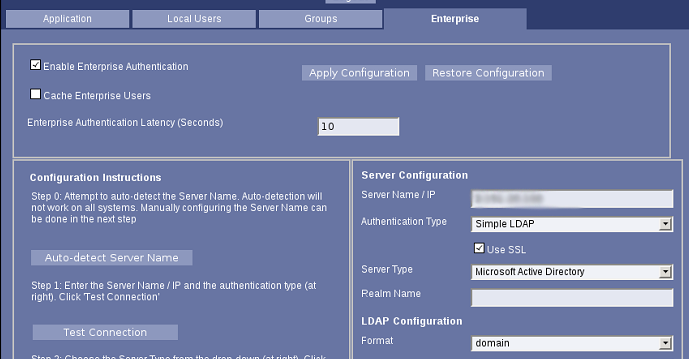
- Select Enable Enterprise Authentication and click Apply Configuration.
Figure 1. Enterprise tab
- Enter the server name or IP in the Server Name/IP field.
- In the Server Configuration pane, set the Authentication Type to Simple LDAP.
- Select Use SSL.
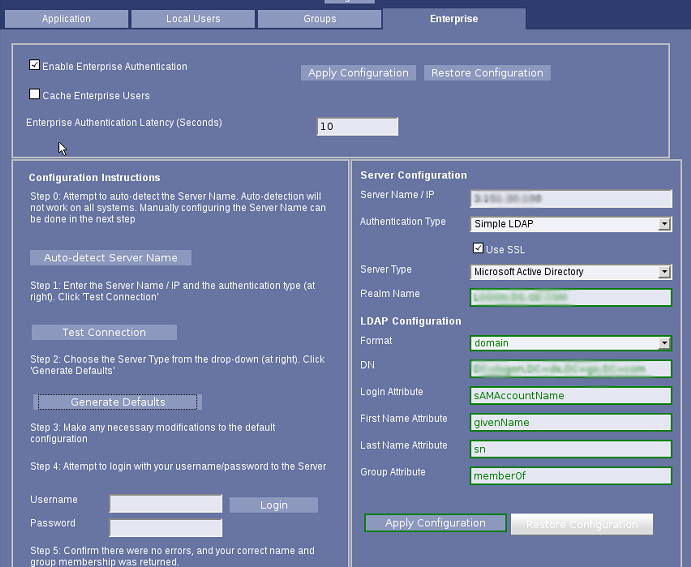
- In the Configuration Instructions pane, click Generate Defaults.
Figure 2. Enterprise configuration
- Click Apply Configuration in the Server Configuration pane.