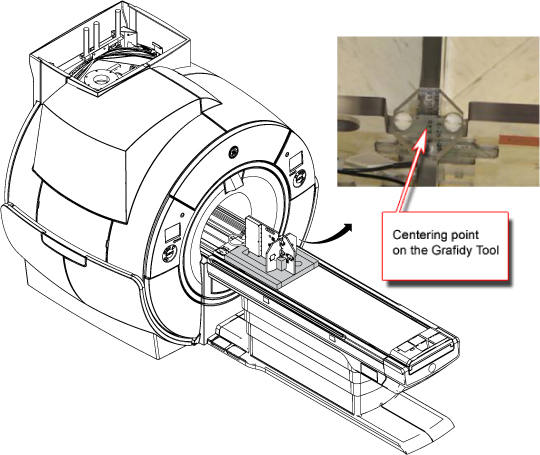
SIGNA™ Hero 3.0T Service Methods 5852800-8EN Revision 1.0 Object ID: 00000018WHA30999BGYZTopic ID: id_2002113 Version: 11.6Date: Nov 3, 2021 11:31:25 AMSetting up grafidy hardware ProcedureUnfold the six-channel Grafidy fixture and lock the arms into place (90° from center plate). Note: Make sure the six-channel Grafidy fixture is firmly pushed into the slit of foam support without any gap. Connect the P-port cable to the T/R board and secure with screws. Place the fixture at the front of the table with the connection box toward the bore.(For systems with DPP receive chain) Connect the P-port connector to port P2 on the LPCA.Figure 1. Grafidy hardware setup for tableCenter the laser cross hairs on top of the fixture.Landmark the system and press Advance to Scan.