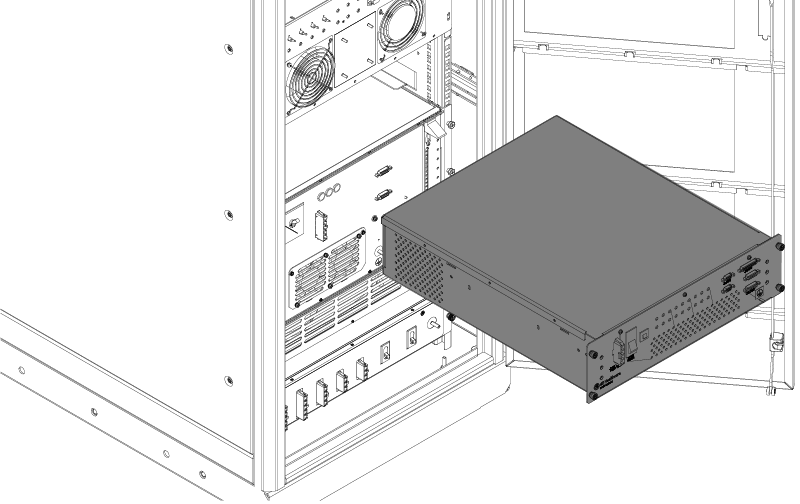
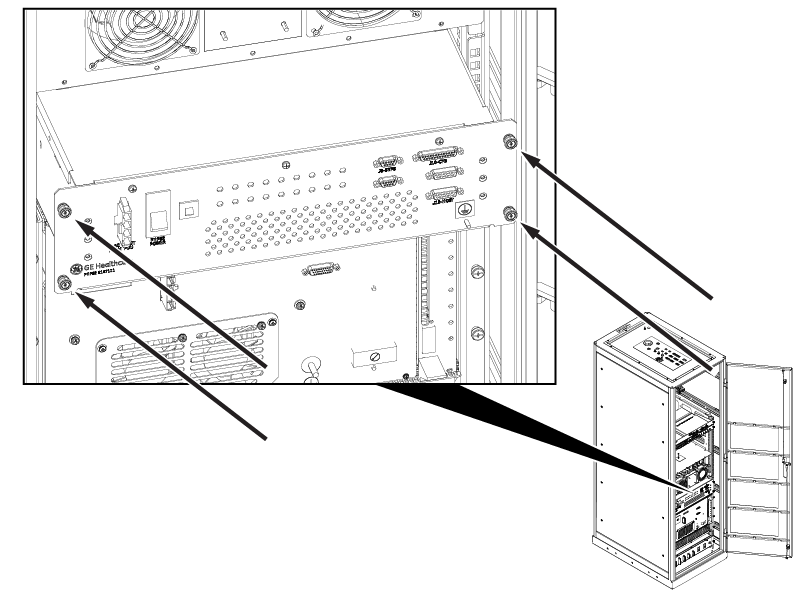
Discovery MR750 3.0T System Service Methods 5690009-2EN Revision 4 Object ID: 00000018WIA30931810GYZTopic ID: id_2005883 Version: 1.17Date: Jan 14, 2022 5:42:01 PMInstalling the Patient Handling Power Supply (PHPS) 2 ProcedureInstall the sub-D filters onto connectors J35, J36, and J54.Install the PHPS 2. Figure 1. PHPS 2 placement Connect the cables to the rear of the PHPS 2 along with the fiber optics cables J37 and J38.Slowly push the PHPS 2 all the way in. Note: Use caution to not pinch or damage the cables or impair the cable service loops at the rear. Tighten four captive fasteners. Figure 2. Four captive fasteners Connect the cables to the front of the PHPS 2. Make sure the PHPS 2 front power switch is in the up (on) position.Close or reinstall the penetration cabinet door.