- id_12374591
- Version: 1.12
- Date: Aug 15, 2019 5:37:01 PM
Doing a Touch-n-Go (TnG) button test
The diagnostic displays the ADC value of the left and right touch and go strips.
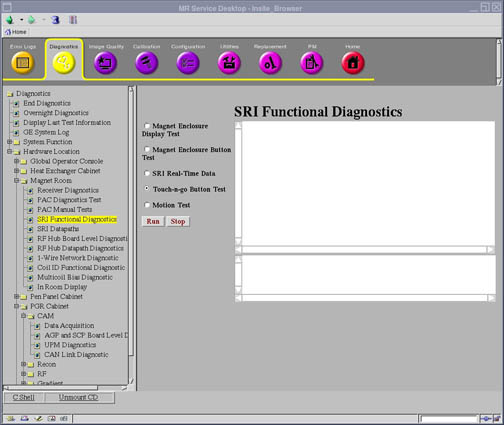
Diagnostic path
Figure 1. SRI function tests screen
Purpose
The diagnostic displays the ADC value of the left and right touch and go strips. As the ADC values change by pressing the touch and go buttons on the table, the values will be displayed on the diagnostic screen.
Components tested
- SRI
- Dock
- Table (touch and go strip)
Requirements
- 32 channel table (table with the touch and go strip)
- Electrical dock is engaged
Block diagram
For further information, refer to the Interactive Block Diagrams
Test sequence
- Click Run to initiate test.
- Press the touch and go strip buttons.
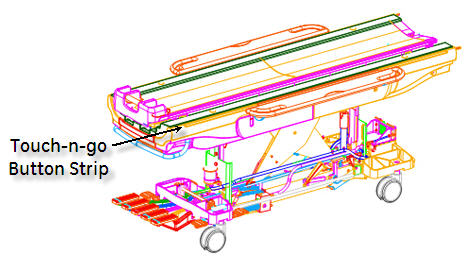
If some of the buttons work but not all, start pressing buttons toward the magnet end of the table when the buttons stop changing the ADC values, that is the location of the problem.
Figure 2. Touch-n-go button strip
Results
Displays the current ADC value for the left and right touch and go button input.
If failure, see Touch-n-Go Troubleshooting.