
- Discovery MR750w and SIGNA™ Architect T 3.0T System Service Methods
- 5690002-2EN Revision 4
- 00000018WIA305EAE20GYZ
- id_131075214.0
- Feb 21, 2021 9:03:39 PM
LVShim Procedures
Prerequisites
| Required persons | Preliminary requirements | Procedure | Finalization |
|---|---|---|---|
| Not Applicable | 30 minutes | 10 minutes |
| ||||||||
| Condition | Reference | Effectivity |
|---|---|---|
|
Confirm that passive shimming is complete and is within specification. | - | - |
|
Perform Setting up grafidy hardware. | - | - |
|
Remove all coils from the cradle and phantoms from the bore. | - | - |
About this task
LVShim - Gradshim
The objective is to perform fine-tuning of the homogeneity of the magnet by using gradients only. The Gradshim is performed on 22 cm DSV. Test mode is performed in 5 volumes for peak to peak and rms values. The interface accordingly shows these values and their specs. Once the scan passes and all harmonics are within specification, the magnetic field is reanalyzed in Test mode.
The Gradshim process includes LVShim - Test. The objective of this test is to analyze completed scans at 45 DSV without calculating currents.
For DV systems 22.x and earlier, 1.5T LVShim uses green phantoms and 3.0T LVShim uses pink phantoms.
For DV systems 23.x and later, 1.5T LVShim uses green phantoms and 3.0T LVShim uses either green or pink phantoms.
During LVShim procedures, the system performs a SNR check to verify system integrity. If the SNR check fails, troubleshoot the SNR issue (in particular, check the I and Q drive cable connections) before continuing with LVShim.
Preparing for LVShim Procedure
Procedure
Set up and align the LVShim phantom. Align the phantom so that:Notice -
The phantom’s seam is oriented perpendicular to the table.
-
The phantom’s z-axis is along the length of the cradle.
-
The phantom is centered left to right with respect to the cradle top.
Do not use foam service filler panels for LVShim procedures.
For flat (GEM) tables, use the curved cradle insert.
Figure 1. Placing LVShim Phantom on Patient Table 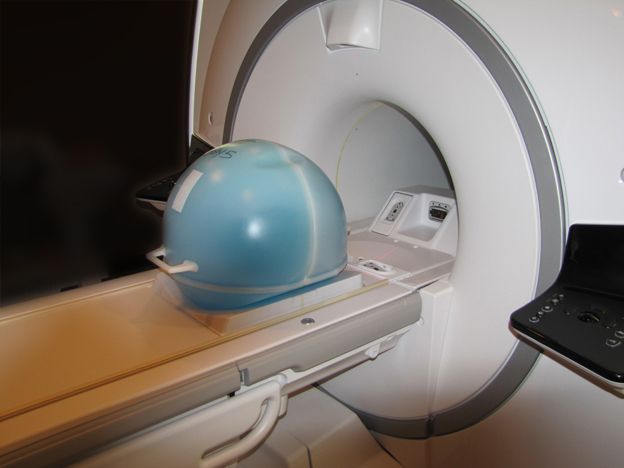
-
Gradshim LVShim Procedure
About this task
By default, Gradshim is performed in Auto mode, although Manual mode is also available. Both modes are described below.
Auto Mode
About this task
In Auto mode, gradient currents are automatically calculated after you click Scan to fine tune the homogeneity of the magnet. In this mode, the tool stops after the X, Y, and Z harmonics are within specification. In Test mode, the image from the last scan is automatically reanalyzed.
Procedure
- Select Gradient Shim, and then click Scan.
Figure 2. Gradient Shim – Auto Mode 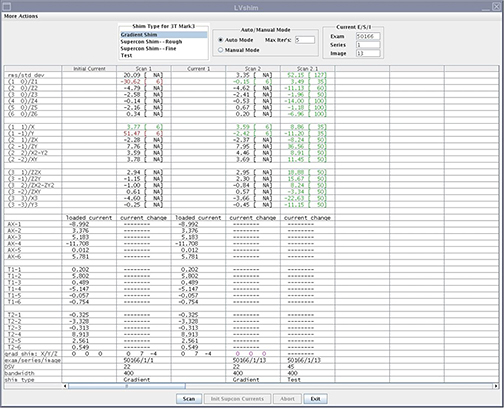
In Auto mode, the tool does the following:
-
Sets up the protocol and collects image data
-
Calculates linear harmonics and compares it with the specification
-
Calculates the delta currents and the new currents based on the harmonics
-
Completes multiple iterations (maximum of 5) until harmonics meets the specification
-
Shows the reanalysis of the last iteration in the final column in Test mode (customer acceptance specification)
-
Manual Mode
Procedure
- Select Gradient Shim and Manual
Mode, then click Scan.
Figure 3. Gradient Shim – Manual Mode 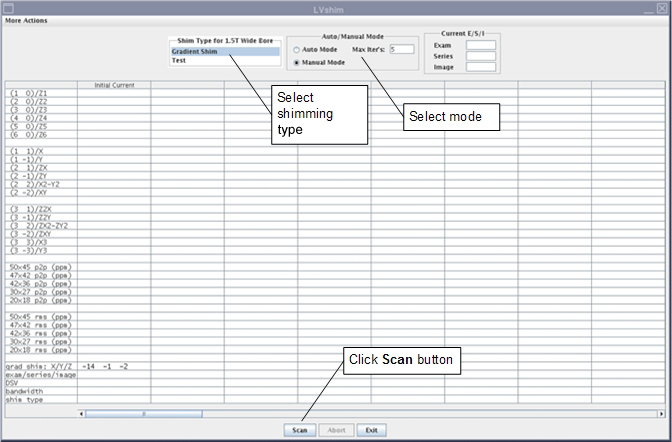
After the scan is complete, the tool calculates harmonics and compares X, Y, and Z to specifications.
-
Green cell = Passed specification
-
Red cell = Failed specification
Figure 4. Gradient Harmonics and Gradient Bits 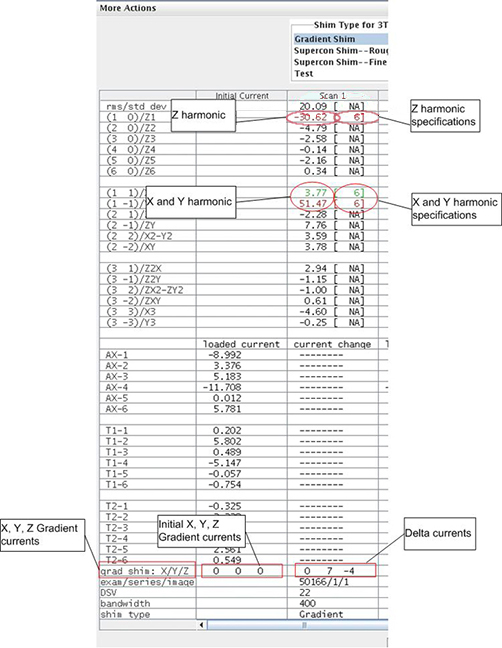
The tool calculates the X, Y, and Z gradient delta currents (for gradient bits only) and displays the new currents based on the harmonics in another window.
Figure 5. Original Delta and New Currents (Examples) 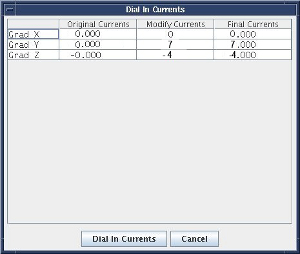
-
- For more details about the scan (cal file name, center frequency, etc.), select More Actions > More Info.
Figure 6. More Information on Scan 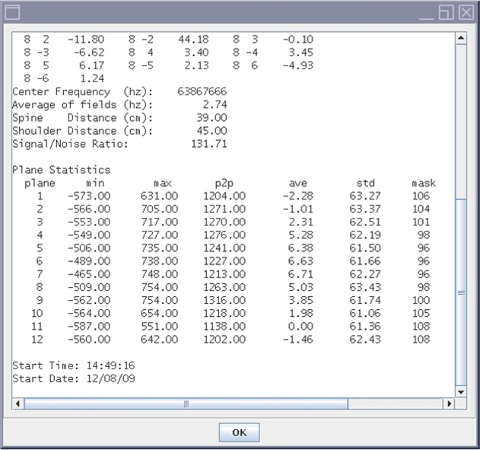
Finalization
Procedure
- Remove any phantoms and/or tools used.
- Perform a Doing a check scan before turning the unit over to the customer.