
- SIGNA MR355 / SIGNA MR360
- Service Manual
- 5856356-3EN Revision 5.0
- Basic Service Documentation. Copyright General Electric Company.
- 00000018WIA30862F20GYZ
- id_131069823.0
- Aug 29, 2019 1:53:54 AM
1.5T HD 8 Channel Wrist Array MCQA Test Setup
Prerequisites
| Required persons | Preliminary requirements | Procedure | Finalization |
|---|---|---|---|
| 1 | Not Applicable | 15 minutes | Not Applicable |
| Item | Quantity | Effectivity | Part number | Manufacturer |
|---|---|---|---|---|
| Cubical unified Phantom | 1 | - |
5342681 | - |
| Wrist array baseplate with baseplate riser | 1 | - |
5160986-12 | - |
| Condition | Reference | Effectivity |
|---|---|---|
|
The following coil configuration names must be installed to run this tool: Coil: HDWRIST If it is not installed, install that coil configuration with Config File Manager. | - | - |
About this task
Follow this process to prepare for the MCQA test using the 1.5T HD 8 Channel Wrist Array by Invivo.
Procedure
- Place the baseplate of Wrist coil on the patient table as shown
in Figure 1.
Figure 1. Base Plate 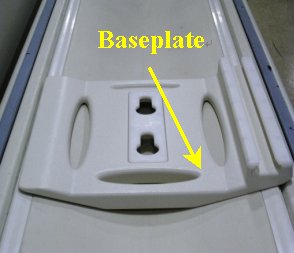
- Attach the baseplate riser to the baseplate as shown in the Figure 2. Baseplate
and the Baseplate riser in the locked position are shown in Figure 3.
Figure 2. Base Plate and Base Plate Riser 1 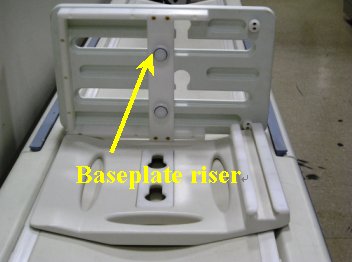
Figure 3. Base Plate and Base Plate Riser 2 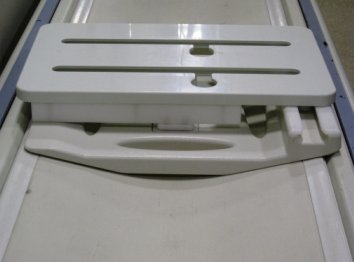
- Attach 1.5T HD 8Ch Wrist Array to the baseplate assembly using
the knobs is as shown in Figure 4. Slide the locked coil to centre and align properly.
Figure 4. Attach 1.5T HD 8Ch Wrist Array 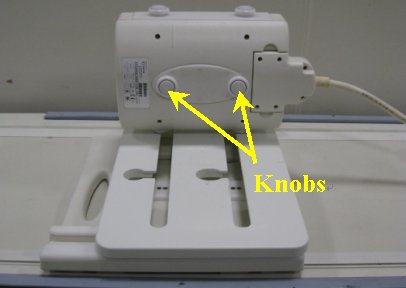
- Place the cubical unified phantom in the coil by lifting the
upper portion of the coil as shown in the Figure 5. Close the
coil and lock it (lock in Figure 6.
Figure 5. Place the cubical unified phantom 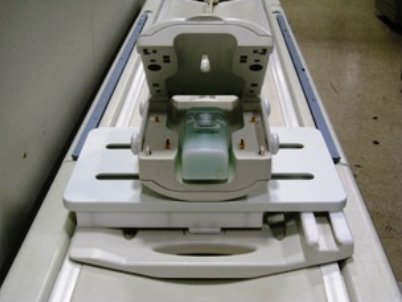
- Connect the coil to respective port of the LPCA and landmark
the coil at the marks shown using arrows as shown in Figure 6 and advance
to scan.
Figure 6. Lock and landmark 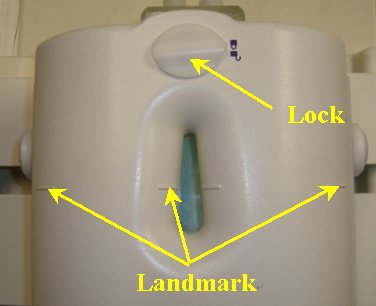
Finalization
No finalization steps.