
- SIGNA MR355 / SIGNA MR360
- Service Manual
- 5856356-3EN Revision 5.0
- Basic Service Documentation. Copyright General Electric Company.
- 00000018WHA167130GYZ
- concept_xdl_f4g_sfb1.26
- Jun 18, 2020 11:21:12 PM
Connect imaging devices to IPM
Learn about the 5th stage in the IPM onboarding workflow.
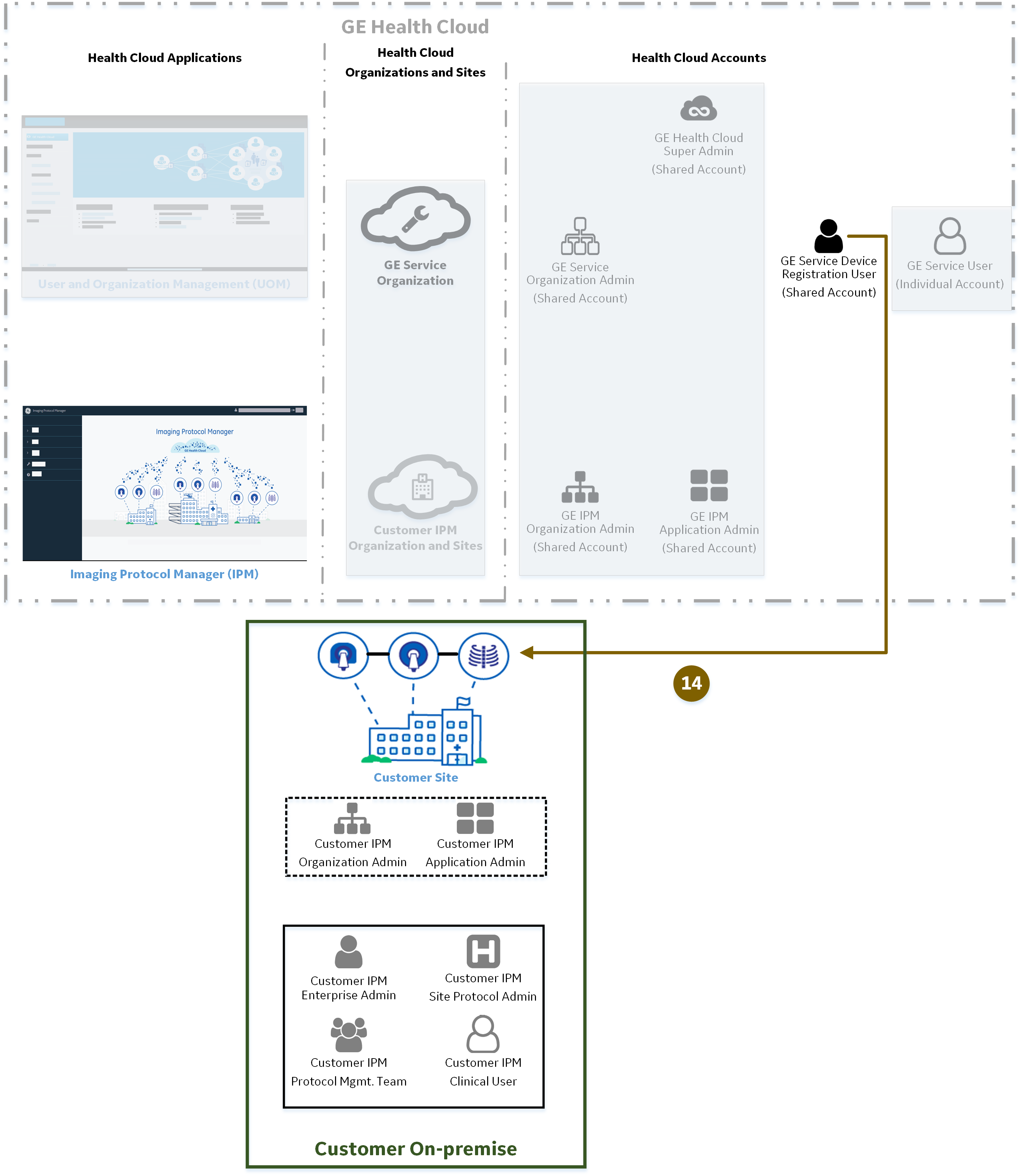
In this stage:
 | The connects imaging devices in the customer facility to the on the . |
- Directly connected devices
You use the software on CT (newer models) and MR imaging devices to connect them directly to the .
This needs to be done for each device at initial implementation and subsequently only to troubleshoot any connectivity issues.
- InSite connected devices
You must create an InSite account for CT (older model) imaging devices that are not capable of direct connection to before you can connect them to .
This needs to be done only once for a single InSite device at initial implementation .
You must connect any imaging devices at the customer site to the on the before you can exchange protocols between them.
This section provides an overview of the process for connecting devices from . For information on the steps to take on your imaging device, see its service documentation (for example, Discovery MR750W 3.0T GEM Service Methods [5670014: Options > ]). For details, see Related documents).
After you have connected the devices, they are activated for use in . You can check the connection status on the imaging device console.
- (2090389-007) (2090389-007) for further information on editing user details after initial onboarding. For details on obtaining this manual, see Documentation access.
- Understand the IPM onboarding workflow for a process overview.
- Cloud accounts for GE Service member IPM roles for a description of account responsibilities.