The objective is to complete fine tuning of the homogeneity of the magnet.
About this task
By default, gradshim is performed in auto mode, although manual mode is also available.| CAUTION |
|---|
| Perform a Localizer scan to verify that the phantom is centered before performing the LVShim. To set up the phantoms and system for this procedure, follow the instructions and procedures. |
Procedure
- Make sure that all coils have been removed from the cradle and phantoms from the bore.
- Set up and align the LVShim phantom. Align the phantom so that:
- The phantom’s seam is oriented perpendicular to the table.
- The phantom’s z-axis is along the length of the cradle.
- The phantom is centered left to right with respect to the cradle top.
Figure 1. Placing the LVShim phantom on the patient tableNote: This image is a representative example. Actual systems may vary.
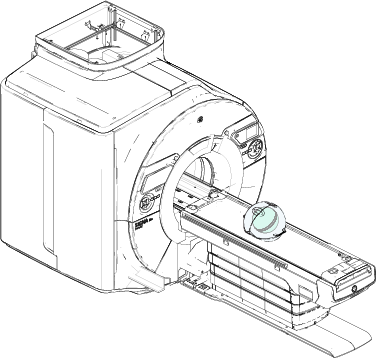
- Landmark on the LVShim phantom crosshairs.
Note: The landmarking tolerances of the LVShim tool are: I/S: ± 3 mm, A/P: ± 30 mm, R/L: ± 5 mm. Ensure accuracy of the placement for landmarking.
Note: Due to the tight landmarking tolerance, it is important to align the lasers on the crosshairs of the LVShim phantom.
- Press Advance to Scan.
Note: The tool checks phantom positioning and will fail if the above landmarking specs are out of tolerance.
- Select the gradshim mode:
