
- SIGNA MR355 / SIGNA MR360
- Service Manual
- 5856356-3EN Revision 5.0
- Basic Service Documentation. Copyright General Electric Company.
- 00000018WIA30A62F20GYZ
- id_131070403.0
- Aug 29, 2019 1:54:34 AM
SNR Test for 8ch High Res Brain Array Coil
Prerequisites
| Required persons | Preliminary requirements | Procedure | Finalization |
|---|---|---|---|
| 1 | 0 minutes | 15 minutes | 0 minutes |
| Item | Quantity | Effectivity | Part number | Manufacturer |
|---|---|---|---|---|
| 18cm Diameter Spherical TLT Phantom | 1 | - |
46265826G6 | - |
| Phantom Positioner | 1 | - |
2317112-3 | - |
| Condition | Reference | Effectivity |
|---|---|---|
|
The following coil configuration names must be installed to run this tool: HD 8Ch High Res Brain Array by Invivo | - | - |
About this task
Follow this process to prepare for the automated SNR test using the 1.5T HD 8Ch HiRes Brain Array Coil by Invivo (M3335BN)
Procedure
- Slide the coil back to permit access to the head holder.
Figure 1. 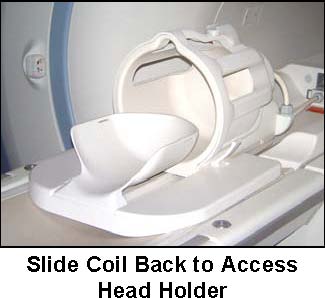
- Place phantom ring on head holder. The edge of the ring that
goes toward the magnet has edges that overhang the head holder to
secure the ring in place.
Figure 2. Place phantom ring on head holder 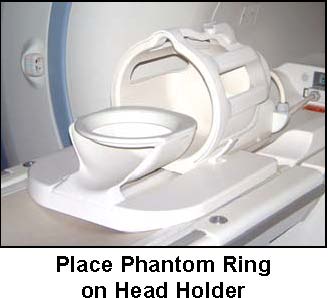
- Place head TLT sphere on the phantom ring.
Figure 3. Place head TLT sphere on the phantom ring 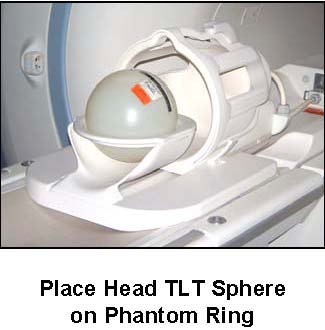
- Slide the coil all the way forward (away from the magnet) on
the base plate and set the locks.
Figure 4. Sphere Aligned with coil 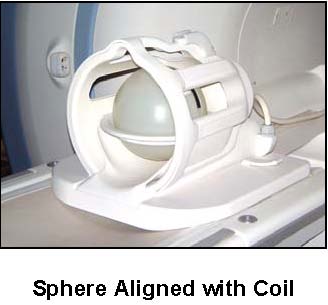
Finalization
No finalization steps.