
- SIGNA MR355 / SIGNA MR360
- Service Manual
- 5856356-3EN Revision 5.0
- Basic Service Documentation. Copyright General Electric Company.
- 00000018WIA30896E20GYZ
- id_131073243.0
- Aug 29, 2019 1:35:46 AM
DC Offset Calibration
Prerequisites
| Required persons | Preliminary requirements | Procedure | Finalization |
|---|---|---|---|
| 1 | Not Applicable | 5 minutes | Not Applicable |
| Condition | Reference | Effectivity |
|---|---|---|
|
No scan in progress. Hit End Exam to end any exam in progress. | - | - |
About this task
Note:
DC Offsets will need to be run during the initial system calibration, at the time of system upgrade or if the GP3 or Gradient Amplifier has been replaced.
| Last Update | 07/22/2005 |
Procedure
- Start the DC Offset Calibration Tool.
-
Starting non-proprietary service tools: From the Common Service Desktop, select Calibration, DC Offset Calibration from the calibration menu, and select Click here to start this tool to start the procedure.
Figure 1. DC Offset Calibration 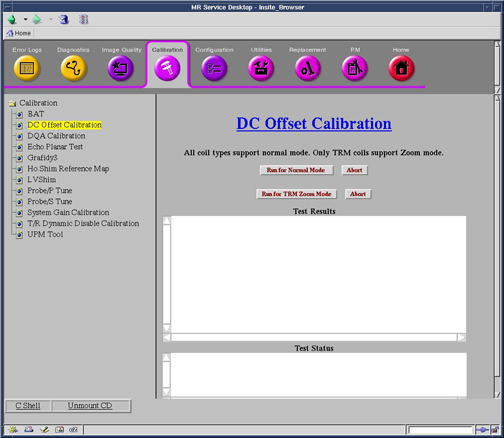
-
Finalization
No finalization steps.