
- SIGNA MR355 / SIGNA MR360
- Service Manual
- 5856356-3EN Revision 5.0
- Basic Service Documentation. Copyright General Electric Company.
- 00000018WHA30C59BGYZ
- id_20020651.8
- Apr 23, 2020 8:44:39 PM
Doing host - ICN remote shell diagnostics
Use this procedure to do the host-Image Compute Node (ICN) remote shell diagnostic test.
Diagnostic path
Purpose
The purpose of this diagnostic is to verify remote shell connectivity to the ICN. This diagnostic attempts to execute a command on the ICN using the remote shell protocol.
Components tested
- Remote shell service on the ICN
Requirements
- The ICN is turned on and has a network connection to the host.
Block diagrams
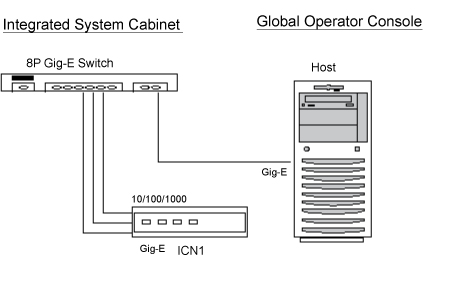
Test sequence
- On the ICN Network Connectivity Health screen, select the ICN Remote Shell Diagnostic.
- Click Run.Note: After you click Run, do not click anywhere else in the Common Service Desktop until the test is complete. If you need to abort the test, click Stop.
- Make sure the ICN passes the diagnostic by reviewing the status in the Table 1 table.
Results
Test results
Diagnostic results display a status of Pass, Fail, or No ICNs Defined. If you receive a Fail status, click GE System Log to view the error message. The system log records errors with the date, time, the process tested, and a detailed error message.
Additional responses to the diagnostic's results are outlined below.
| Result | GE field action |
|---|---|
| Pass | No further action required. |
| Fail |
|
| No ICNs defined | Refer to and run VRE Reconfiguration. |