- id_2000508
- Version: 6.0
- Date: Jul 17, 2019 6:07:37 PM
Managing SSA service licenses
The system language must be decided before obtaining the service license ID. If the language is changed on the system, it will also change the 16-digit service license ID assigned to the system and cause the existing license to fail.
Procedure
- Use one of the following methods to access the Service License GUI.
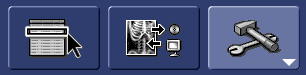
- From the operator console, click the drop-down menu on the Tools icon.
Figure 1. Tools icon drop-down menu
- Double-click the key icon on the bottom right corner of the Tools Desktop.
- Login as root during system boot up.
- From the operator console, click the drop-down menu on the Tools icon.
- Select Install Service License. The service license information window displays the service license ID.note: The numerical character for zero is a circle with a dot in the center (⊙). Be careful when recording your service license ID because zeros can be mistaken for the letter O, and vice versa. The uppercase letter O and the lowercase letter o do not have a dot in the middle.
Figure 2. Service License page
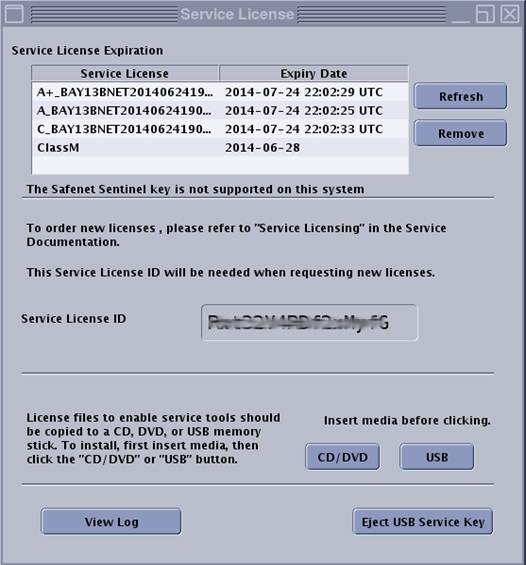 This example displays each level of service class license. Only the service license level available for a given system will display in that system’s window.
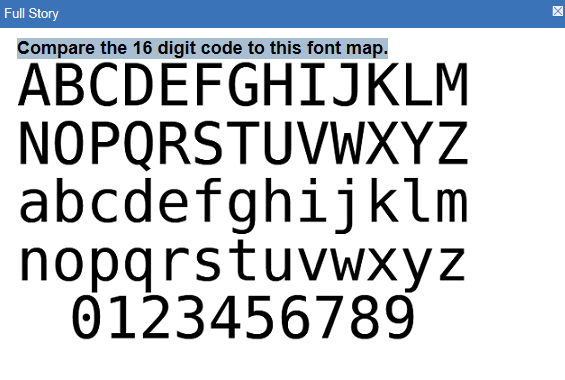
 - While noting down the service license ID, refer to the font chart below and note the difference between the number 0, letter o and letter O.
Figure 3. SSA fonts