- Optima MR450w BASE 1.5T System Service Methods
- 5690012-2EN Revision 3
- 00000018WIA30E16E40GYZ
- id_20201262.6
- Jun 2, 2021 4:05:06 AM
Checking and filling hydraulic fluid
Checks and adjusts the hydraulic fluid level for the dockable patient table.
Procedure
- Drop the table into the full down position by depressing the far right pedal located at the rear of the patient table.
Figure 1. Patient transport rear pedals 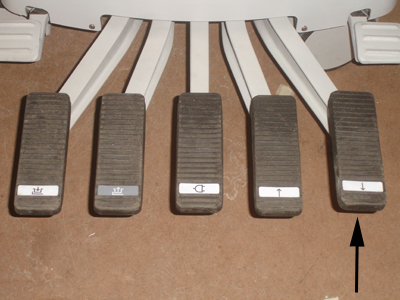
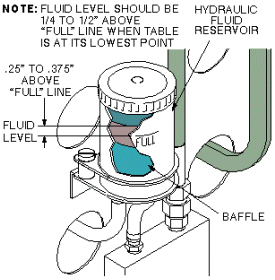
- Inspect the hydraulic fluid reservoir located at the rear of the patient table and determine if fluid needs to be added.Note: Depending on the orientation of the reservoir, the full line may be on the back side.
Figure 2. Hydraulic fluid level check