- Discovery MR750 3.0T System Service Methods
- 5690009-2EN Revision 4
- 00000018WIA30F62E40GYZ
- id_20197892.3
- Apr 23, 2020 8:48:05 PM
Configuring the Cedrus controller box
Procedure
- Go to .
Figure 1. BrainWave Paradigm Manager option 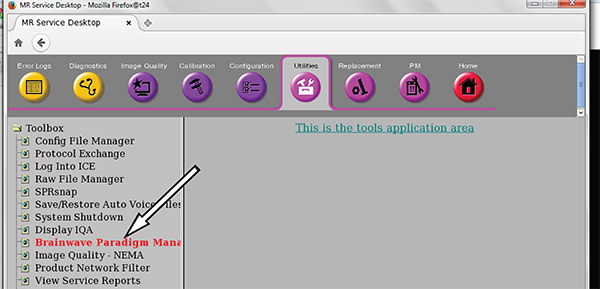
- Make sure PXE Application Controller Type is set to the correct controller type.
Figure 2. Controller options 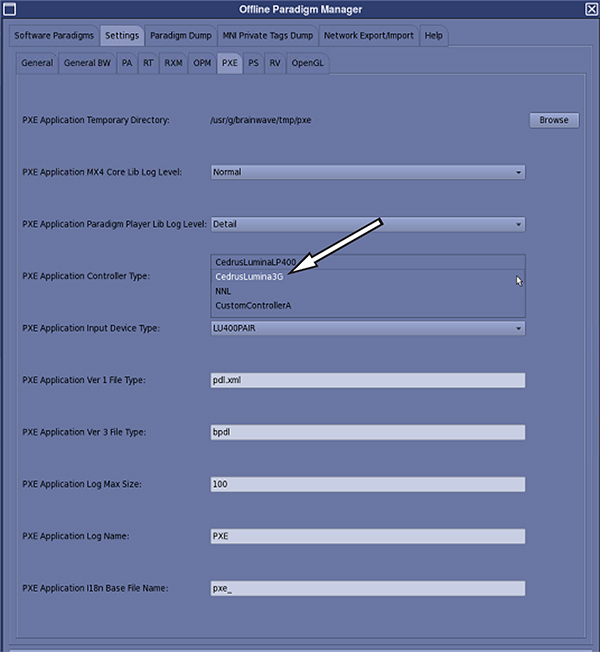
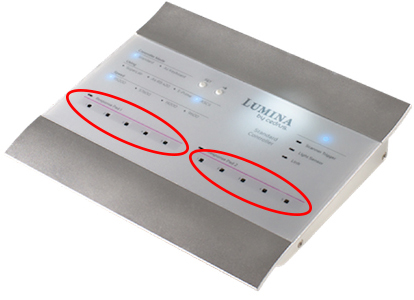
Figure 3. Example of the Cedrus Lumina 3G response pad LEDs