• Discovery MR750 3.0T System Service Methods
  • 5690009-2EN Revision 4
  • Object ID: 00000018WIA30072E40GYZ
  • Topic ID: id_2019790 Version: 2.1
  • Date: Apr 23, 2020 8:48:06 PM

Checking the power up procedure and hardware system

Procedure

  1. Use the Reset button to power cycle the Cedrus Lumina box.
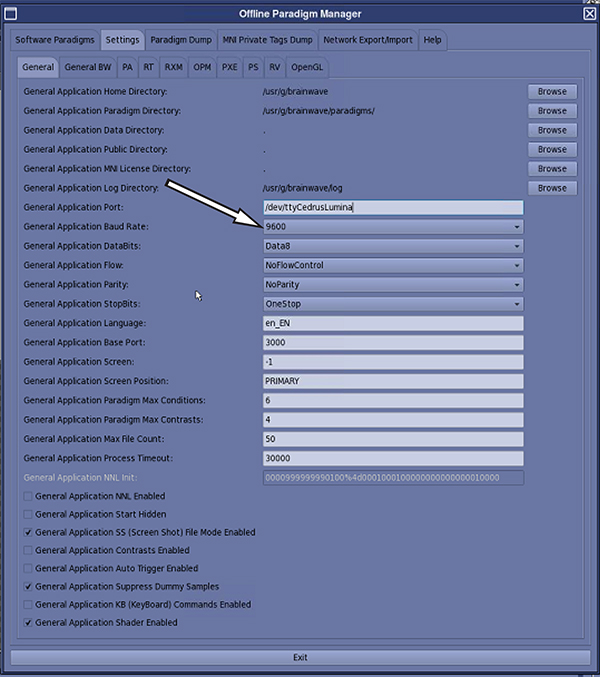
  2. Update the General Application Port field to /dev/ttyCedrusLumina, if the controller being used is the Cedrus Lumina.
  3. Set the General Application Baud Rate field for the Cedrus Lumina to 9600.
    Figure 1. Baud rate
  4. Click Exit on the Offline Paradigm Manager window and save settings when prompted.
    Note: If the site has a NNL controller box connecting to the Host PC, use the following settings:
    • General Application Port: /dev/ttyNNLSync
    • Baud Rate: 57600