- id_2003005
- Version: 5.0
- Date: Jul 8, 2019 1:45:00 PM
Viewing existing licenses for a system
Procedure
- Go to the eLicense website http://elicense.gehealthcare.com and log on using your single sign-on (SSO) username and password.
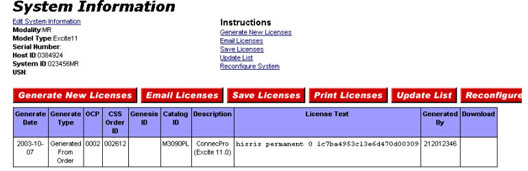
- From the eLicense homepage, enter the system ID or host ID and modality in the System Configuration section, and click Go (the System Information screen, shown below, lists all the options generated for that system. Other information listed: Generate Date, Order ID, License information and the SSO of the user who generated the option keys).
Figure 1. System information screen
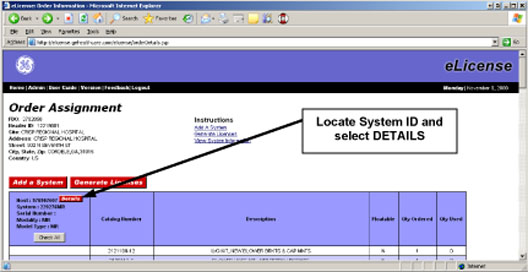
- An alternative method for retrieving a list of existing licenses is to enter the Global Order Number in the Order Management section and click Go (as long as keys were created, the system ID or host ID that it is tied to can be found. On the Order Assignment screen shown below, locate the proper system ID and select Details).
Figure 2. Order assignment details screen