- id_2021947
- Version: 2.0
- Date: Feb 14, 2020 4:04:29 PM
Enabling authorization (role-based access control)
EA3 component
The EA3 component is designed to meet the requirements of the IHE Enterprise User Authentication (EUA) Profile, IHE Personnel White Pages (PWP) Profile, and the audit logging portion of the IHE Audit Trail and Node Authentication (ATNA) Profile. These profiles can be found in the IHE Technical Framework Version 4 (see http://www.ihe.net).
Refer to the Data Privacy chapter in the Operator Manual for instructions on how to use EA3 and perform user account management operations.
Since the original function of the user management was for HIPAA compliance, the screen titles and documentation refer to HIPAA Configuration.
Login session start and end times are recorded through Application Logging or Remote System Logging as described in the respective major sections.
To open the EA3 (User Accounts) Administration window:
Procedure
- Click the Tools screen icon.

- Click User Accounts on the Service Desktop Manager.

- Login as an administrative user, such as root. Note, the default EA3 root password is the default Signa root password, during the first EA3 access.
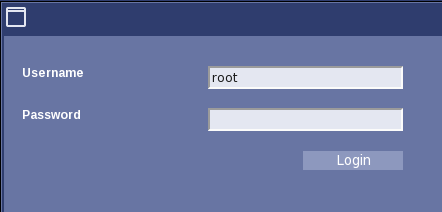 note: The root username here is only a default. Once configured, those assigned to be user administrators will use their own usernames and passwords.