- id_2024233
- Version: 2.0
- Date: Feb 14, 2020 4:04:35 PM
Configuring password controls
Configure password controls available on the MR system that apply to the local users.
Procedure
- Open the EA3 Administration window.
- Click the Local Users tab.
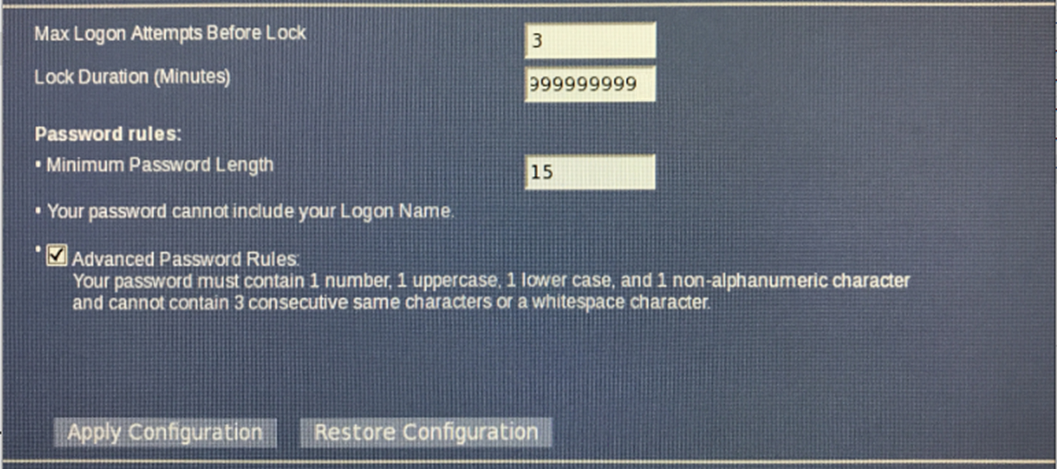
- Enter 3 in the Max Logon Attempts Before Lock field. The allowable range is 0-231.
- Enter 999999999 (or less, if indicated) in the Lock Duration (Minutes) field.
- Enter 15 (or greater, if indicated) in the Minimum Password Length field. The allowable range is 0-231.
- Select the Advanced Password Rules checkbox.
- Click Apply Configuration.note: The following password restrictions should be followed but the FE should defer to site-specific password requirements.
- user must not reuse passwords within five iterations
- user must not change passwords more than once every 24 hours
- user passwords must be changed at least every 60 days
- passwords must contain a minimum of 15 characters