- id_2024235
- Version: 2.0
- Date: Feb 14, 2020 4:04:36 PM
Managing default users
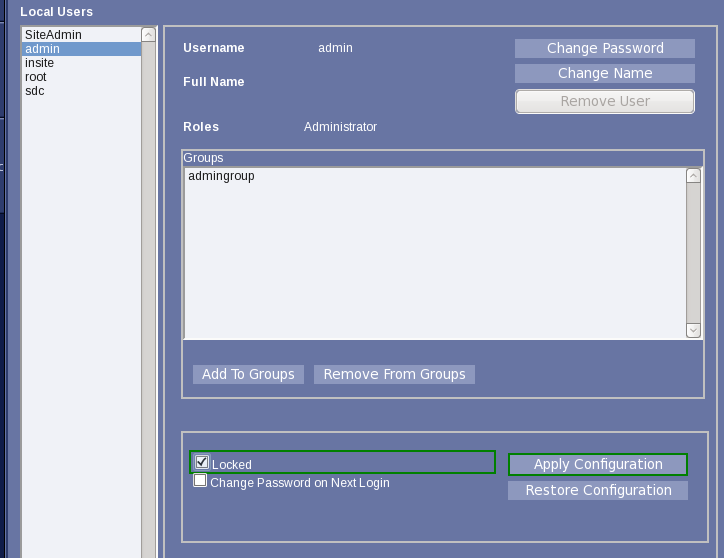
The system includes default users who are managed by the site and are not required to be active. The users cannot be deleted, but they can be disabled (locked).
Procedure
- Check administrative access as the user(s) created in the previous section.
- Login to the User Accounts function as one of the newly created administrative users.
- (IMPORTANT) Ensure site-specific administrative user accounts are created, known, and unlocked.
- For each of the users, admin, insite, root, and sdc:Select the account, check Locked, and click Apply Configuration.