- 00000018WIA306C8110GYZ
- id_20042043.0
- Feb 24, 2021 2:43:46 AM
Logging in as root
Use this procedure to log in as root.
Procedure
- On the MR system computer, click the root login button on the GE Healthcare screen to log in as a root user:
Figure 1. Root login button 
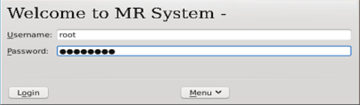
- Enter the following:
Figure 2. Root login