- 00000018WIA30D7C030GYZ
- id_123743501.1
- Jul 5, 2019 10:03:33 PM
Barcode Reader Hardware Installation
Prerequisites
| Required persons | Preliminary requirements | Procedure | Finalization |
|---|---|---|---|
| 1 | Not Applicable | 30 minutes | Not Applicable |
Procedure
- There is an extension cable that is provided with the barcode
reader. This extension cable is needed for additional length. Plug
the barcode reader cable into the extension cable. See Figure 1.
Figure 1. Barcode Extension Cable 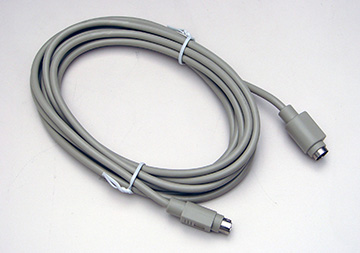
Finalization
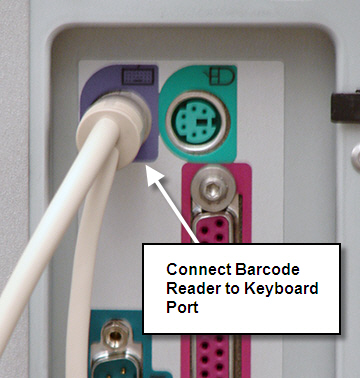
- Plug the other end of the extension cable into the back of the HP 8400 PC in the keyboard port. See Figure 2.
- Reboot to the scanning level.
- Do a quick phantom scan to ensure the scanner is still working
properly.
Figure 2. Barcode Reader Connection