
- SIGNA™ Hero 3.0T Service Methods
- 5852800-8EN Revision 1.0
- 00000018WIA30B42A50GYZ
- id_20262782.0
- Feb 21, 2021 9:01:04 PM
Configuring the ICN - VRE
Volume Recon Engine (VRE) configuration reinstalls the software onto the Image Compute Node (ICN). This procedure is also needed after ICN replacement.
Prerequisites
This step is only necessary if VRE needs to be configured as part of software load process or VRE is replaced or if VRE configuration failed on previous step.
| Personnel requirements | |||
|---|---|---|---|
| Required persons | Preliminary requirements | Procedure | Finalization |
| 1 | 10 minutes | 30 to 60 minutes | 5 minutes |
| Safety |
|---|
|
Before working in any GE Healthcare MR suite or performing any GE Healthcare service procedure, you must:
If you have any safety concerns at any time, do not begin work or immediately stop work and move to a safe location. Immediately contact your supervisor or site safety officer for instructions on how to proceed. |
About this task
The following procedure describes manual ICN-VRE configuration. ICN compatibility is dependent on software revision. Refer to ISC FRU for compatibility. Volume Recon Engine (VRE) and Image Compute Node (ICN) are terms that are used interchangeably. VRE configuration installs the software onto the ICN. This procedure is needed after ICN replacement. This procedure may also be needed when troubleshooting issues with the ICN system. Refer to Troubleshooting the Image Compute Node (ICN) for more information.
Procedure
- Invoke Guided Install as root.
- When you power up the host computer and see the logon screen, click on root login.
Figure 1. Logon screen 
- Type the user name: root and type the root password.
Figure 2. Welcome logon screen 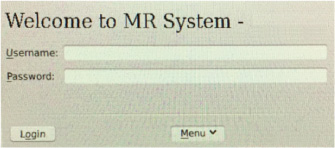 Note: It is possible that the customer changed the default password. If you cannot log on , contact the customer for the correct password.
Result
Logging on as the root user automatically shows the Linux desktop and launches the Guided Install Starter window.
- When you power up the host computer and see the logon screen, click on root login.
- Use Check BMC IP and MAC to get the IP address of the ICN before you start configuration.Note: This confirms correct BMC connection to the host computer. The information collected may be useful troubleshooting later.
Figure 3. Guided install – ICN configuration 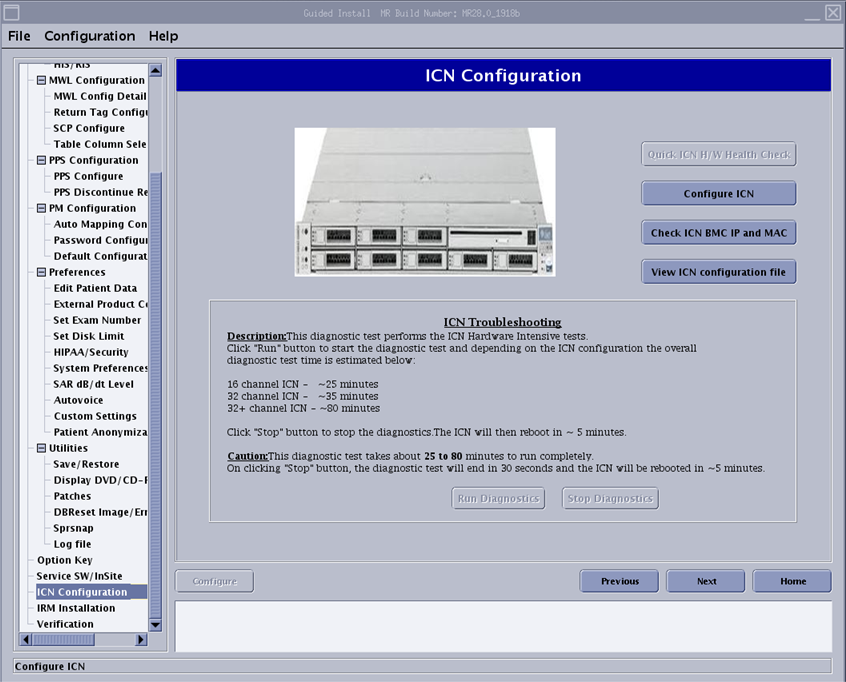
- If ICN configuration fails, review the dialog box and details in the separate window to determine next steps.
Figure 4. ICN progress details 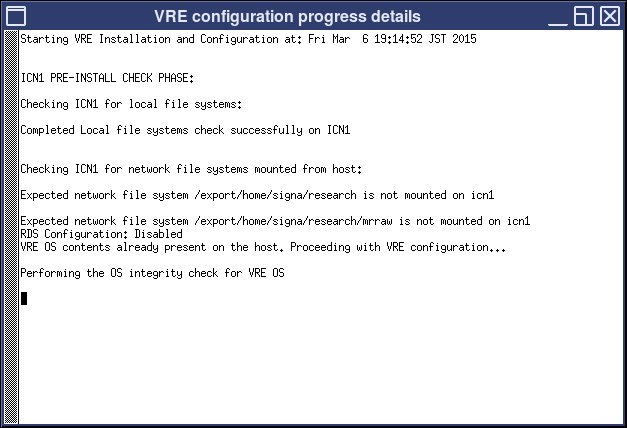
- When the ICN Remote Console window appears, click OK, and then Continue.This will install the Java security options.
Figure 5. ICN remote console 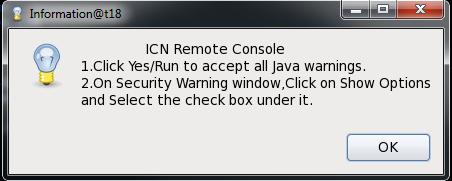
- Once the Java Security Warning window appears select the following:
- Select the I accept the risk and want to run this application checkbox.
- Click on Show Options and select the Do not show this again for apps from the publisher and the location above. checkbox.
- Click Run.
Figure 6. Security Warning 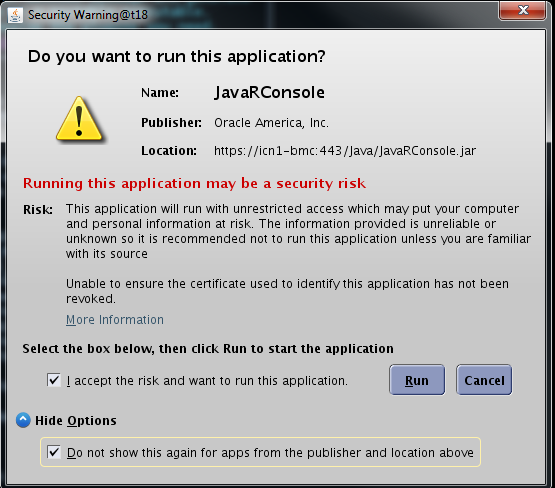
Result
The Remote Console window opens showing the progress of the installation.
Finalization
- If this procedure was done as part of a software reload, return to the software installation procedure and continue with the next steps.
- If this procedure was not done as part of a software reload:
- Do a system restart. This is required after configuration for the changes to take effect.
- Do a test scan to verify that the system is working properly.
- Do SaveInfo.