
- SIGNA™ Hero 3.0T Service Methods
- 5852800-8EN Revision 1.0
- 00000018WHA30EFE6GYZ
- id_20018615.4
- Feb 4, 2022 4:09:20 PM
Doing an HIS/RIS MWL and PPS for DICOM functional check
Check connectivity and set information retrieval preferences.
Procedure
- Click the Work List icon for the scan screen.
Figure 1. Work List icon 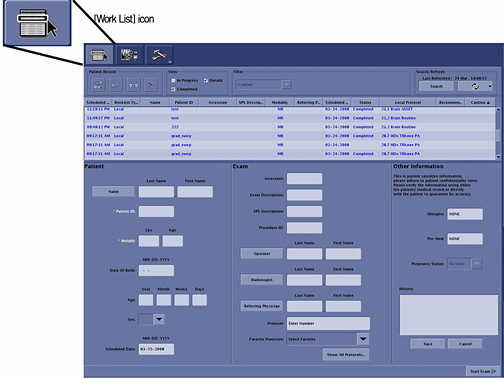
- To make sure of the connectivity of the system to the RIS system, click the [New Patient] icon in the scan desktop.
Figure 2. New Patient icon 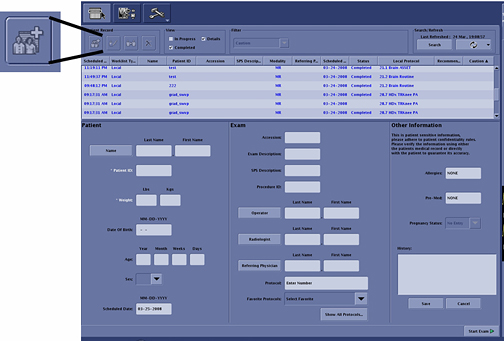
- In the Search/Refresh box, click Search Data.
Figure 3. Search button 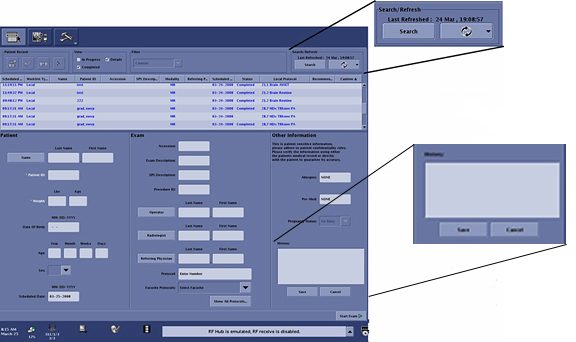
Result
The Search Data window shows (see figure below).Figure 4. Search Data window 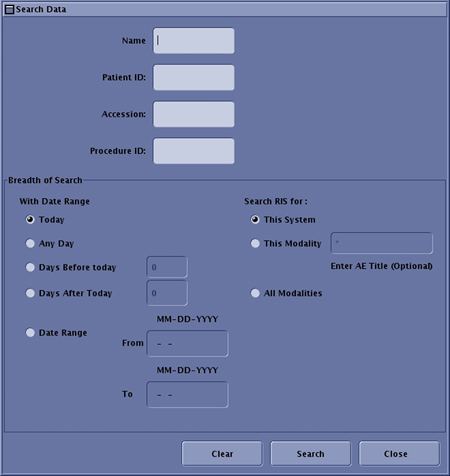
- After entering the correct
Search Data, click Search.
Figure 5. Search details selected 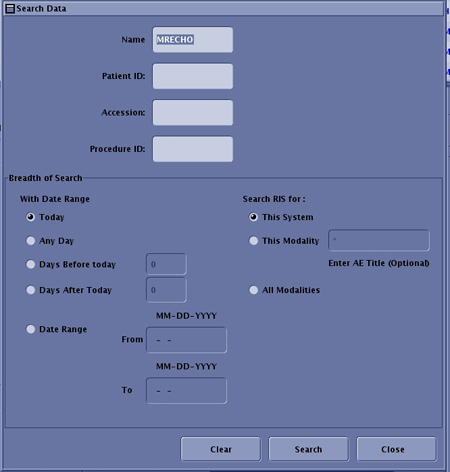
Result
The results show in the list above the patient information.Figure 6. Full Work List 