
- Discovery MR750w and SIGNA™ Architect T 3.0T System Service Methods
- 5690002-2EN Revision 4
- 00000018WIA30F30E20GYZ
- id_131068043.2
- Jul 13, 2021 6:26:23 PM
Auto Coil Install
Prerequisites
| Required persons | Preliminary requirements | Procedure | Finalization |
|---|---|---|---|
| 1 | Not Applicable | 5 minutes | Not Applicable |
| Item | Quantity | Effectivity | Part number | Manufacturer |
|---|---|---|---|---|
| Any new coil that has not yet been configured for a system. | N/A | - | - | - |
Procedure
- Plug the coil into appropriate A- and/or P-Ports. The system
automatically detects the new coil and a dialog box describes that
the coil has not yet been configured for the system.
Figure 1. New Coil Detected Dialog Box 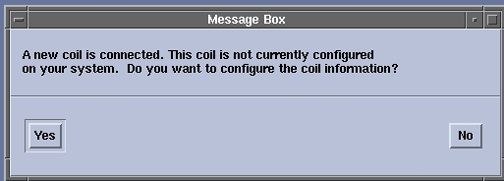
- Click Yes to configure the new coil.
A confirmation dialog box appears indicating that the coil was successfully
configured.
Figure 2. Configuration Successful Dialog Box 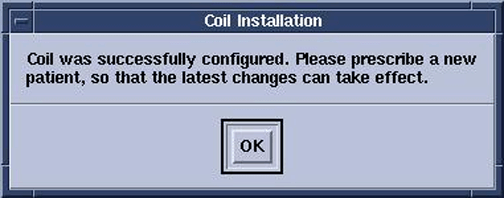
- If the required information was not found on the system, and
the coil could not be configured, a dialog box advises you to take
a suggested course of action.
Figure 3. Configuration Not Successful Dialog Box 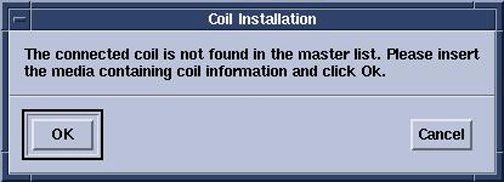 Note:
Note:Insert the CD, which contains the coil configuration data, and then click the OK button.
Finalization
No finalization steps.