Front Cover
Prerequisites
Procedure
- Remove following assembly and covers.
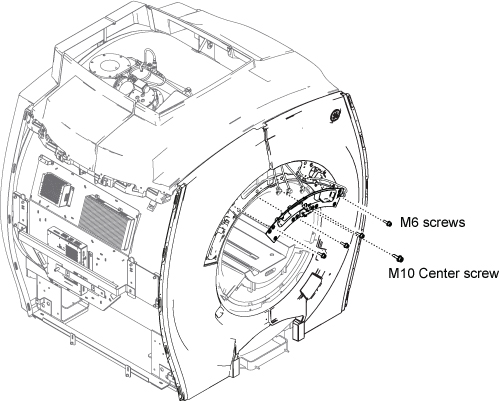
- Remove the Front Center Cover by removing the screws and hang
it down with the cable.
Figure 1. Front Center Cover
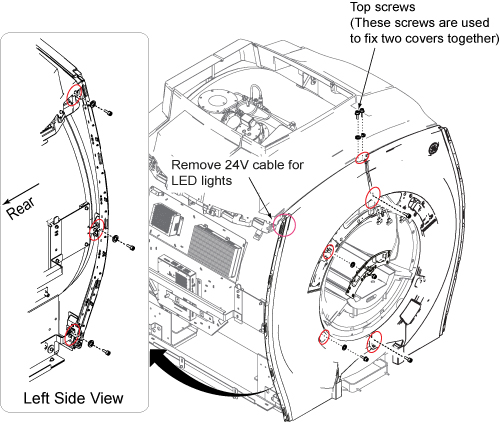
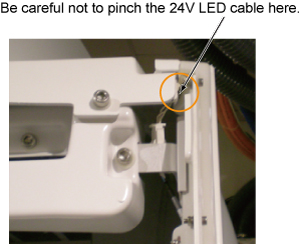
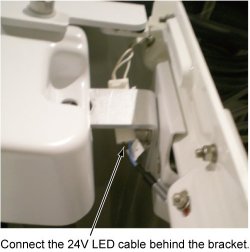
- Remove 24V cables for LED light from left and right of front cover.
- Remove the left Front Cover by removing the screws shown below.
Figure 2. Left Side Cover Removal
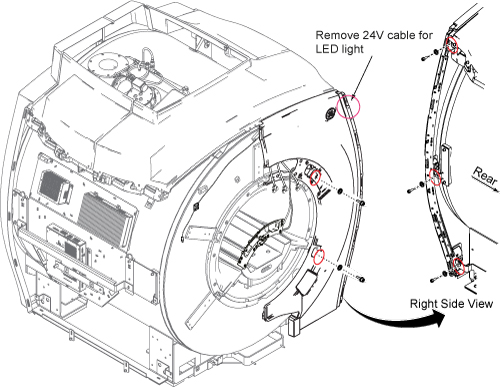
- Removing the screws shown below.
Figure 3. Right Front Cover Removal
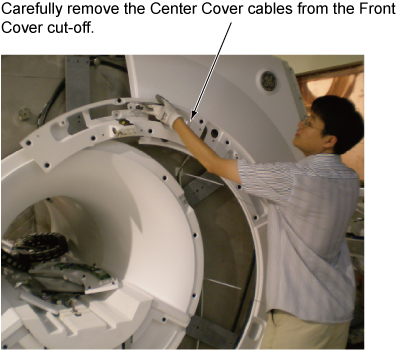
- Remove the right Front Cover by carefully remove the Center
Cover cables from Front Cover cut-off.
Figure 4. Remove Rright Front Cover
- Installation is reverse order of removal.
- notice
- notice
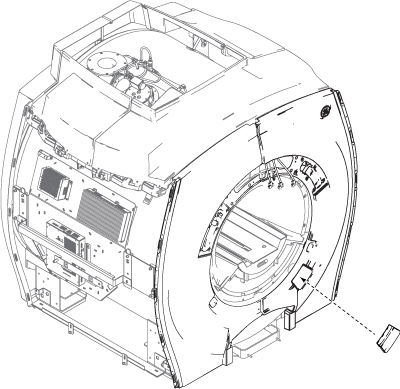
- For the right front cover, reuse the fill port cover (two popper).
Figure 5. Fill port cover
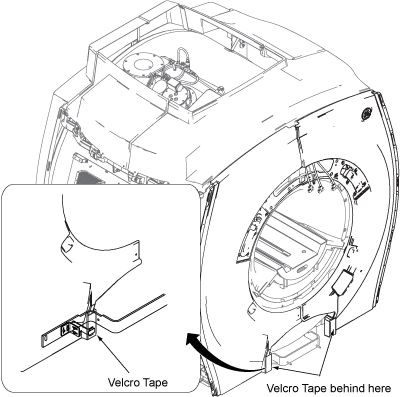
- Fix the bottom of Front Cover by Velcro tape.
Figure 6. Velcro tape
 |
|
Finalization
No finalization steps.