- id_2011720
- Version: 4.1
- Date: Feb 4, 2020 12:13:06 PM
Setting the BIOS password - admin password unknown - Dell T5810/T5820
Resets the passwords for the BIOS settings when the admin password is not known.
Prerequisites
| Personnel requirements | |||
|---|---|---|---|
| Required persons | Preliminary requirements | Procedure | Finalization |
| 1 | - | 30 minutes | - |
important: Disconnect the power cord from the computer and allow the internal components to cool before doing these steps.
 |
|
Procedure
- Shut down the operating system.
- Power off the workstation and external devices.
- Do Removing the host computer or Removing the host computer - Dell T5820.
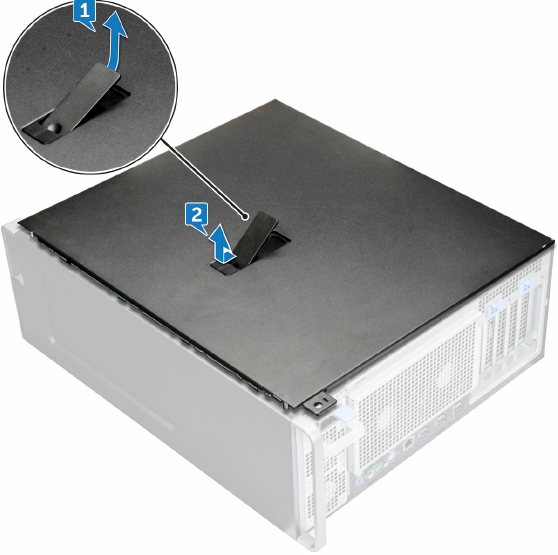
- Remove the side cover.
Figure 1. Dell T5810
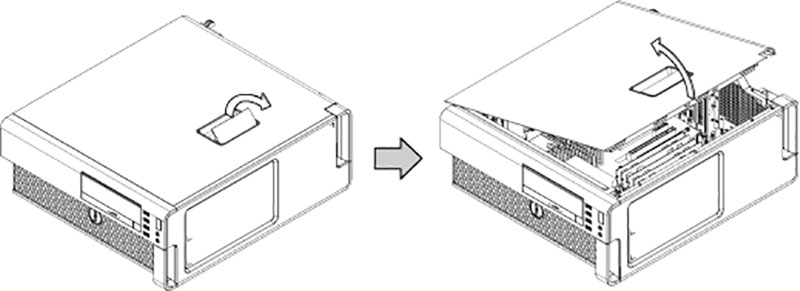
Figure 2. Dell T5820
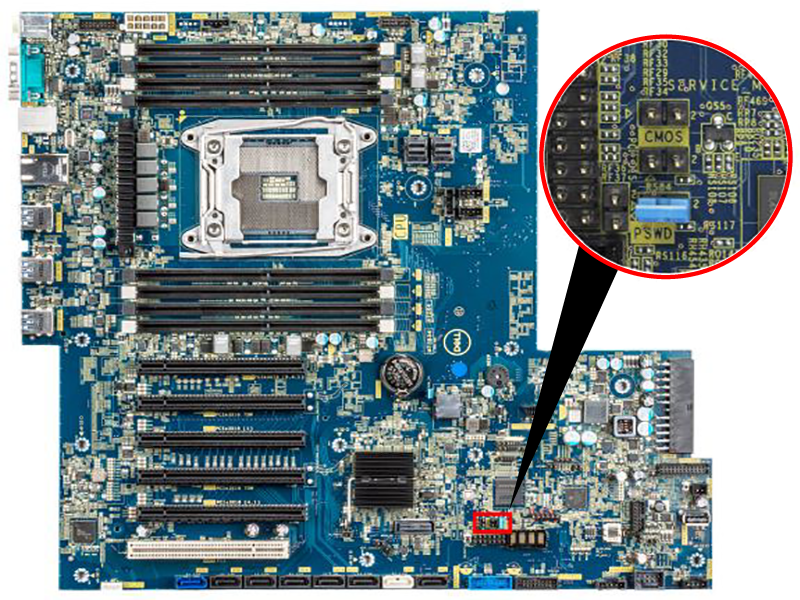
- Locate the password header and jumper. The password jumper is labeled PSWD.
Figure 3. Password jumper location - T5810
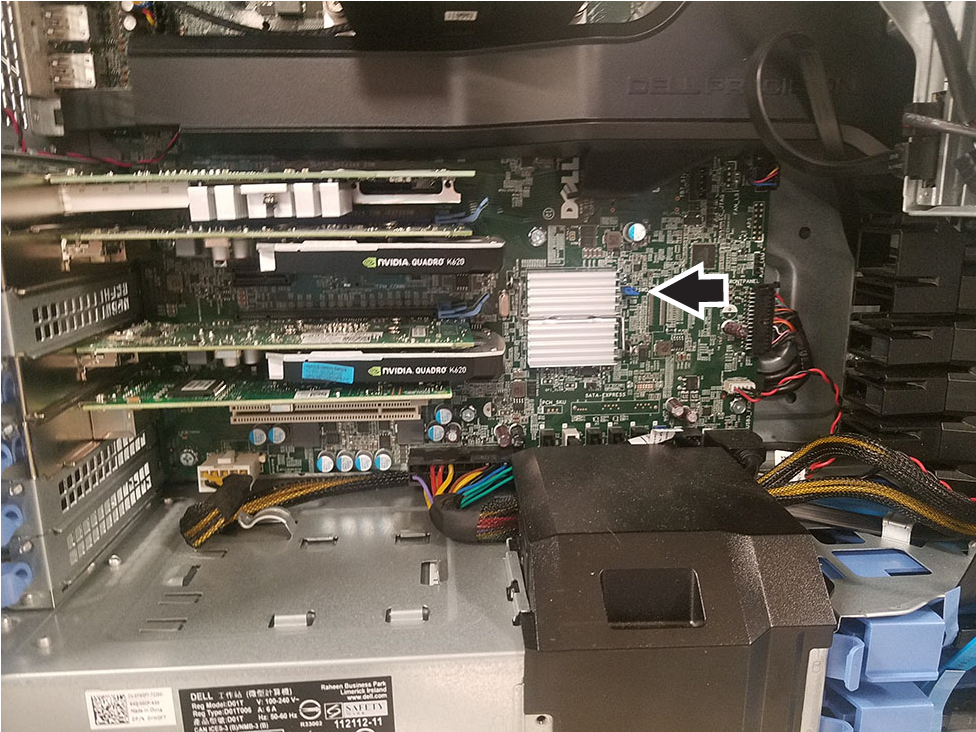
Figure 4. Password jumper location - T5820
- Make sure the power cord is disconnected from the host computer.
- Remove the password jumper.note: The password jumper is colored so it can be easily identified.
- Reconnect all components and the power to the workstation.
- Install the side cover.
- Hold and align the bottom of the side cover to the chassis.
- Make sure the hook on the bottom of the side cover snaps into the notch on the system.
- Press the system cover until it clicks into place.note: The system will not power on without the side cover. Also, the system will shut down if the side cover is removed while the system is on.
- Power on the workstation until video appears on the monitor.
- Shut down the workstation.
- Remove the side cover.
- Install the password jumper. This will clear the passwords.
- Install the side cover.
- Do Installing the host computer or Installing the host computer - Dell T5820.
- Power on the computer. The computer will not require any passwords after this reset; both System and Admin passwords will be erased.
- To create passwords, see Setting the BIOS password - Dell T5810/T5820.