- id_2003983
- Version: 10.0
- Date: Oct 9, 2019 4:16:21 PM
Accessing Guided Install
This procedure describes how to invoke Guided Install as root or open Guided Install in FE mode.
Prerequisites
| Required conditions |
|---|
| A Class M SSA key or Class C/A2 SSA soft key license is needed to access Guided Install from SIGNA applications. It is not needed when launched as Root. Refer to Service licensing for information on how to install an SSA soft license. |
Procedure
- Choose one of the following methods to access Guided Install.
- Invoke Guided Install as root.
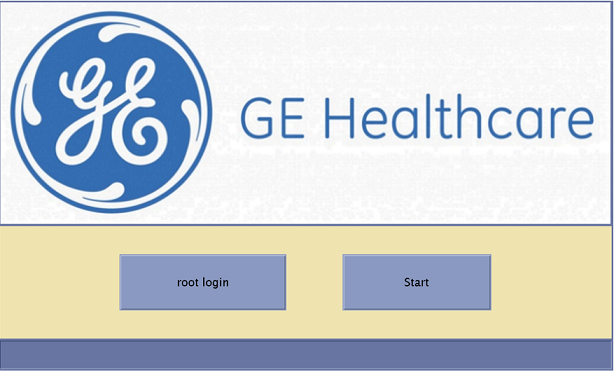
- When you power up the host computer and see the login screen, click on root login.
Figure 1. Login screen
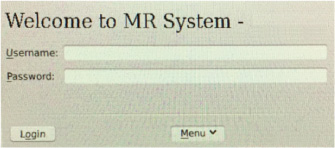
- Log in with the user name: root and password: operator
Figure 2. Welcome login screen
 note: It is possible that the customer changed the default password. If you cannot log in, contact the customer for the correct password.Logging in as the root user automatically displays the Linux desktop and launches the Guided Install Starter window.
 - Click Yes to invoke the guided install.note: If No has already been selected, right-click on the Linux desktop and select Start Guided Install.
- When you power up the host computer and see the login screen, click on root login.
- Open Guided Install in FE Mode.
- Insert the Service Key.
- Open the Common Service Desktop.
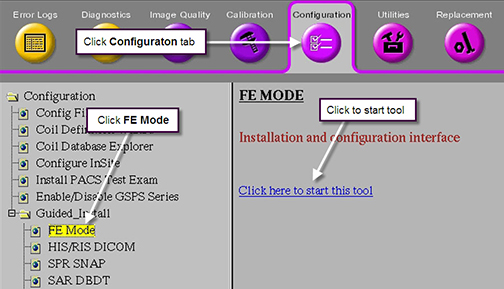
- Under the Configuration tab, select .
Figure 3. Guided Install FE Mode
- When the C shell opens, type the root password.note: The default root password is operator. It is possible that the customer changed the password. If you cannot log in, contact the customer for the correct password.