- SIGNA™ Hero 3.0T Service Methods
- 5852800-8EN Revision 1.0
- 00000018WIA307EA010GYZ
- id_20028945.2
- Jul 13, 2021 4:10:15 PM
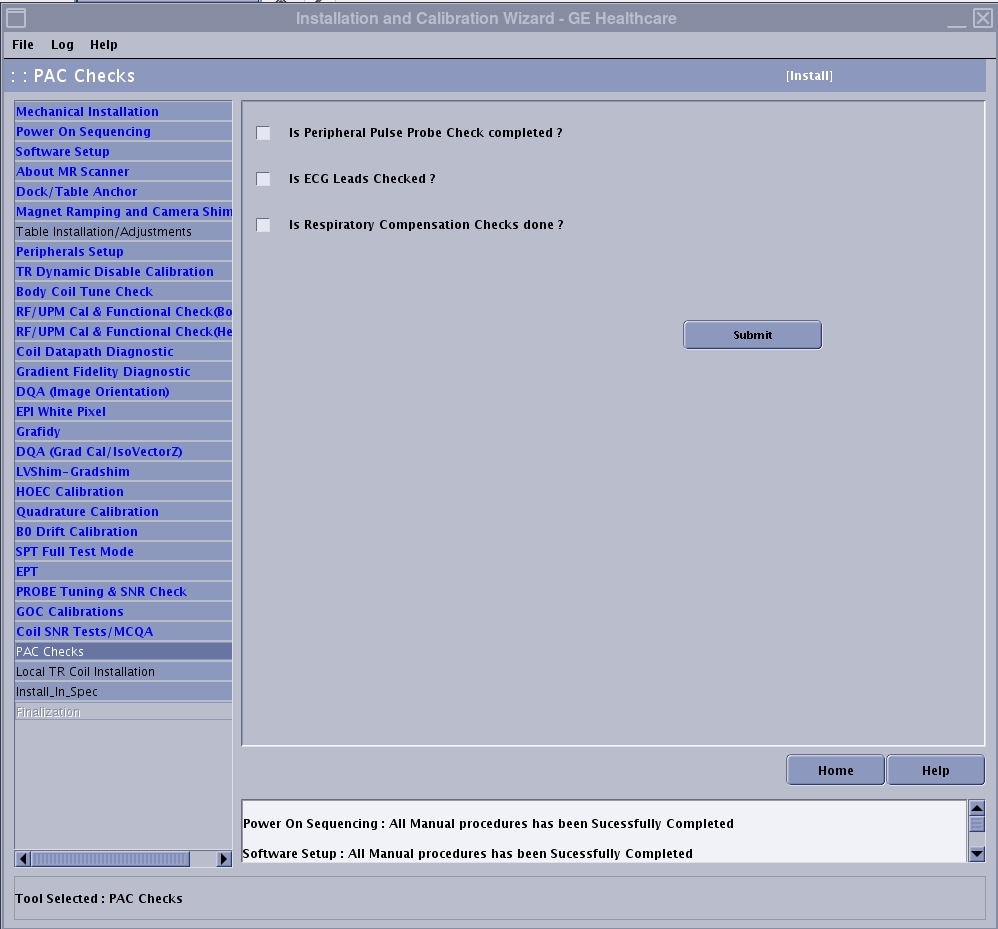
Checking off ICW PAC items
PAC Checks is one of the final steps in the installation portion of the Installation and Calibration Wizard (ICW), though it can be done at any time during the installation.
Prerequisites
| Required persons | Preliminary requirements | Procedure | Finalization |
|---|---|---|---|
| 1 | Not applicable | 45 minutes | Not applicable |
|
Before working in any GE Healthcare MR suite or performing any GE Healthcare service procedure, you must:
If you have any safety concerns at any time, do not begin work or immediately stop work and move to a safe location. Immediately contact your supervisor or site safety officer for instructions on how to proceed. |
About this task
- Peripheral pulse probe check
- ECG leads checks
- Respiratory compensation checks
Procedure
- Click the Calibration tab.
- If in install or upgrade mode, select Install and Calibration Wizard and Click here to start this tool.
Result
The PAC Checks screen is displayed. PAC Checks is one of the final steps in the ICW.Figure 1. PAC checks