Check agreement of bellows action and respiratory waveform.
Prerequisites
Personnel requirements
Required persons
Preliminary requirements
Procedure
Finalization
1
-
25 minutes
-
Tools and test equipment
Item
Quantity
Part number
Manufacturer
Respiratory Bellows
1
46 265679G1
-
Safety
Before working in any GE Healthcare MR suite or performing any GE Healthcare service procedure, you must:
Have read and understood all hazard conditions and safety requirements in the latest revision of the GE Healthcare MR Service Safety Manual (5452735).
Have successfully completed all relevant GE Healthcare Environmental Health and Safety (EHS) courses (or for non-GE employees, equivalent workplace training courses).
Comply with all site-specific training and workplace safety requirements.
If you have any safety concerns at any time, do not begin work or immediately stop work and move to a safe location. Immediately contact your supervisor or site safety officer for instructions on how to proceed.
Notice
Risk of Equipment Damage
Completely remove the Quad Head Coil from the cradle before performing any body scans. Failure to do so may damage the head coil T/R network.
Procedure
Connect bellows to the Patient Table Interface module.
Click the Gating tab on IRD.
Click Respiratory (human lungs icon).
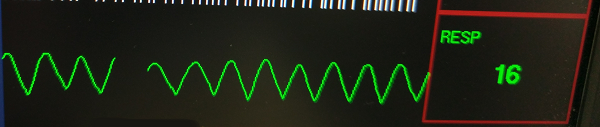
The respiratory waveform appears.Figure 1. Respiratory waveform
Notice
Risk of Improper Operation
Never vent the bellows. Always connect the bellows to the PAC Assembly before stretching it. Failure to connect bellows to PAC Assembly first causes inaccurate waveforms and, therefore, inaccurate results.
Take the respiratory bellows in both hands and gently pull on either end.
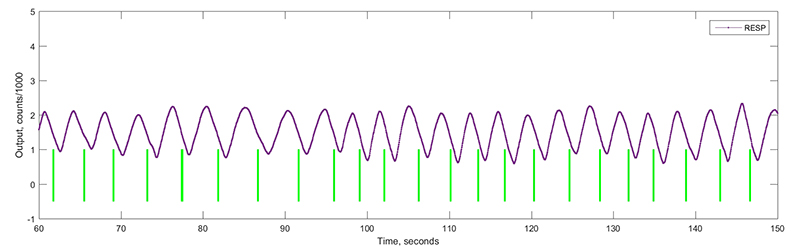
Manually operate the bellows to duplicate the motion of typical regular breathing. If the bellows and respiratory compensation software are working properly, the waveform agrees with the actions of the bellows. If the waveform does not agree with the action of the bellows, proceed by troubleshooting the bellows (for tears or holes), connections and then the PAC assembly for problems.
Note: The respiratory waveform displays on the IRD.
Make sure the waveform displays the action of the bellows.