
- Discovery MR750 3.0T System Service Methods
- 5690009-2EN Revision 4
- 00000018WIA300C9030GYZ
- id_123740012.1
- Apr 7, 2020 7:21:33 PM
CPC Multi-Nuclear Spectroscopy (MNS) cabinet filter maintenance
Prerequisites
| Personnel requirements | |||
|---|---|---|---|
| Required persons | Preliminary requirements | Procedure | Finalization |
| 1 | - | 15 minutes | - |
| Tools and test equipment | |||
|---|---|---|---|
| Item | Quantity | Part number | Manufacturer |
| Vacuum Cleaner | 1 | - | - |
| Consumables | |||
|---|---|---|---|
| Item | Quantity | Part number | Manufacturer |
| Wipes | As needed | - | - |
| Safety | ||||
|---|---|---|---|---|
|
Before working in any GE Healthcare MR suite or performing any GE Healthcare service procedure, you must:
If you have any safety concerns at any time, do not begin work or immediately stop work and move to a safe location. Immediately contact your supervisor or site safety officer for instructions on how to proceed. | ||||
| ||||

About this task
Overview
This procedure shows the filters that need to be inspected and cleaned as necessary. The CPC MNS cabinet has filters on the top of the unit, inside the front door, inside the back door, and on the fans at the rear of the cabinet.
The illustrations in this document show the original CPC MNS cabinet, part number 5411744, which contains five modules. This same procedure will also apply to the new CPC MNS cabinet, part number 5750811, which contains two modules.
Procedure
- Inspect the 4 filters on the interior side of the front door. Clean as necessary.
Figure 1. Filters on Inside of Front Door 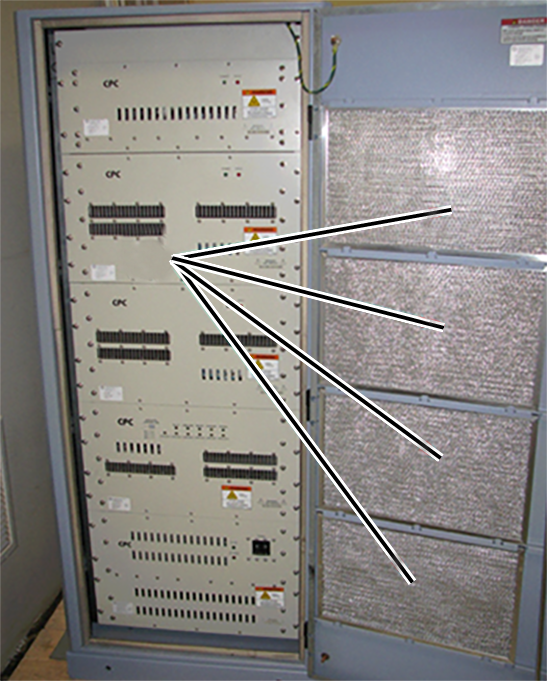
- Inspect the 4 filters on the top of the cabinet. Clean as necessary.
Figure 2. Filters on Top of CPC MNS Cabinet 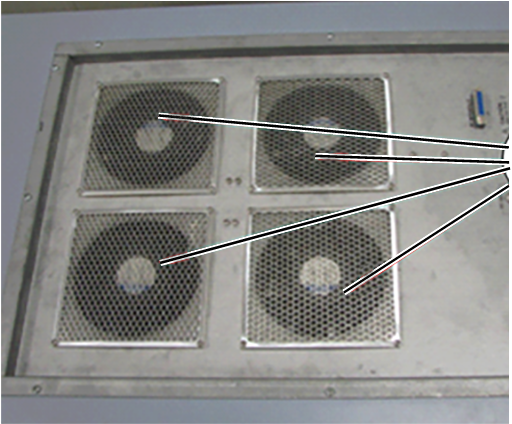
- Inspect the 4 filters on the interior side of the rear door. Clean as necessary.
Figure 3. Filters on Inside of Rear Door 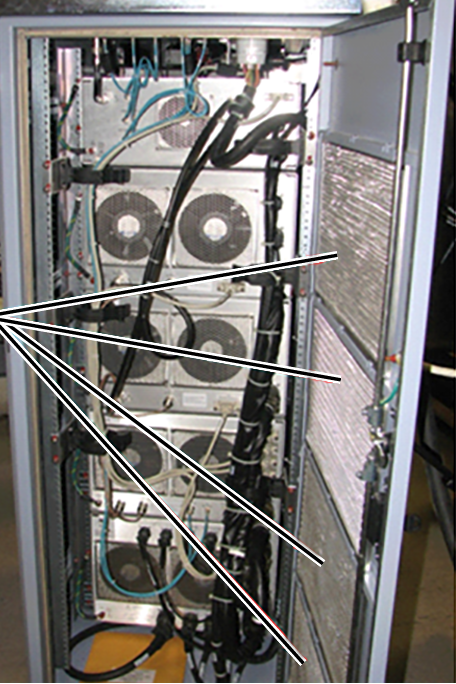
- Inspect the 9 filters on the fan at the rear of the CPC MNS cabinet. Clean as necessary.
Figure 4. Filters on Fans in Back of Cabinet 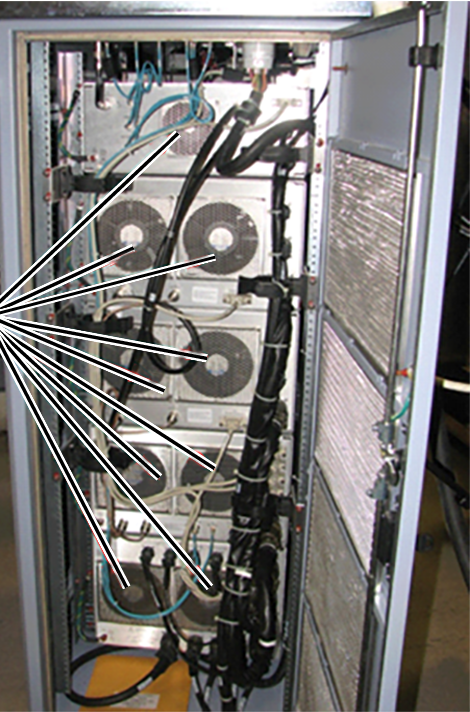
Finalization
Remove LOTO from the RF amplifier and PEN cabinet to restore power to the CPC MNS cabinet. See MR Service Safety Manual, PN 5452735.