
- Discovery MR750w and SIGNA™ Architect T 3.0T System Service Methods
- 5690002-2EN Revision 4
- 00000018WIA30C12130GYZ
- id_152711222.7
- Oct 11, 2021 8:57:02 PM
Reset Term Server
Prerequisites
| Required persons | Preliminary requirements | Procedure | Finalization |
|---|---|---|---|
| 1 | Not Applicable | 10 minutes | Not Applicable |
| Condition | Reference | Effectivity |
|---|---|---|
|
This procedure is only for new software loads. | - | - |
Procedure
- Verify communication between the host PC and term server as
follows:
- To ping the ts1 address, type ping hostname-ts1 (where hostname is the hospital name). Press Enter.
Figure 1. Ping ts1 — Good Communication 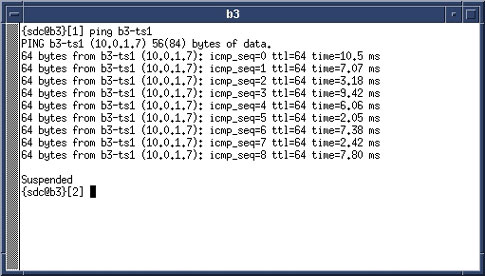
If an improper response of Host Unreachable appears, repeat this procedure.
Figure 2. Ping ts1 — Communication Error Message 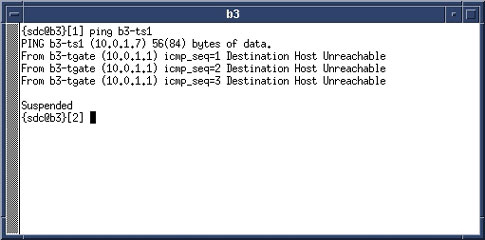
- To ping the ts1 address, type ping hostname-ts1 (where hostname is the hospital name). Press Enter.
Finalization
Proceed to the appropriate MR service software loading procedure. See Loading Host System Software (Quick Start).