- Discovery MR750w and SIGNA™ Architect T 3.0T System Service Methods
- 5690002-2EN Revision 4
- 00000018WIA304A9D30GYZ
- id_20128505.1
- Jul 13, 2021 4:05:17 PM
Dummy load resistance check and setup
About this task
| DANGER | |
|---|---|
 | |
Procedure
- Use a DVM to measure the resistance of input to the dummy load.
- Measure directly on the dummy load input connector – center pin to GND.
Figure 1. Measure dummy load input resistance 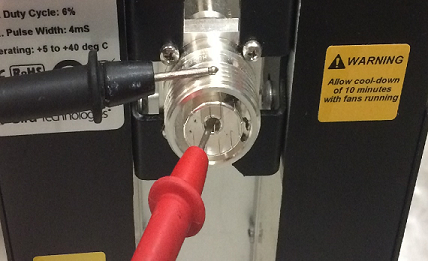
- Make sure that the resistance measures 50Ω ± 5Ω.
Notice 
- Measure directly on the dummy load input connector – center pin to GND.
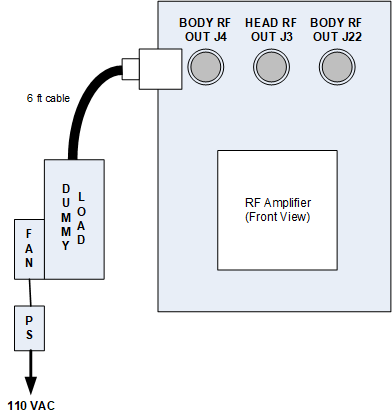
- Do the dummy load setup. Plug the fan for the dummy load into a service outlet. Never use this dummy load without its fan running.
Notice Figure 2. Connect dummy load