- id_2002115
- Version: 6.0
- Date: Aug 29, 2019 1:45:41 AM
Running Grafidy in Manual mode
Manual mode allows you to iterate through the process and decide when to stop.
Procedure
- Select the Manual Mode tab.
Figure 1. Manual mode tab
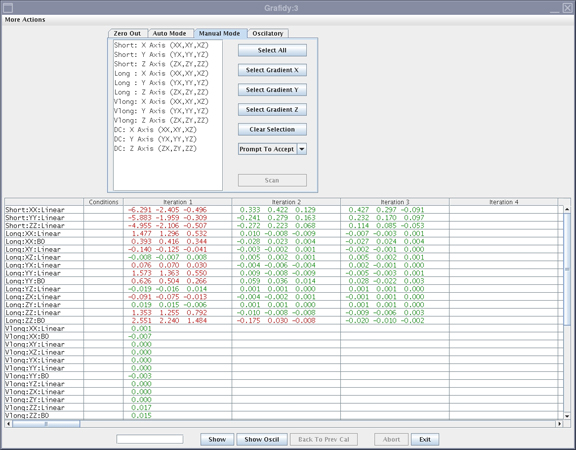
- Select the desired terms and click Scan.
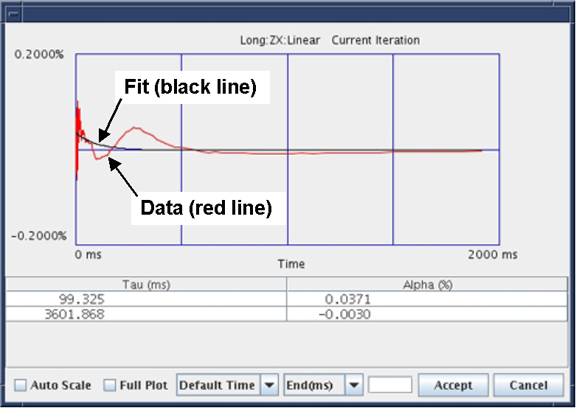
- If the Prompt To Accept mode is active, a graph of the results displays after the scan is completed.
- If a good fit is displayed (fit line aligned with data line), click Accept. The calibration values are saved to disk and used in the next scan. Repeat this process by setting desired terms for the next scan and select Scan.
- If a bad fit is displayed, click Cancel.
note: This leaves the last accepted values in the calibration files. Do not expect any improvement on future scans when the fit does not match the data, even if the Cal parameters are accepted.Figure 2. Results window with accept/cancel buttons
- The last iteration for any component must be a check only. Do not accept the fit parameters. You will not be allowed to exit immediately after updating the calibration parameters.