- id_2004204
- Version: 2.4
- Date: Jul 5, 2019 7:49:03 AM
Logging in as root
Use this procedure to log in as root.
Procedure
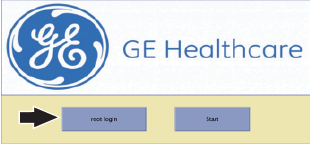
- On the MR system computer, click the root login button on the GE Healthcare screen to log in as a root user:
Figure 1. Root login button
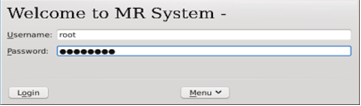
- Enter the following:
- Username: root
- Password: operatornote: It is possible that the customer changed the default password. If you cannot log in, contact the customer for the correct password.
Figure 2. Root login
- Click Login.