- id_13107475
- Version: 3.0
- Date: Aug 29, 2019 1:41:33 AM
LVShim Expert Mode Features
The Expert Mode of LVShim allows you to use several features that are normally not necessary during magnet shimming. These features are designed for experienced users. The Expert Mode options are:
-
Cal file
-
Scale currents (for example, selecting 0.5 inserts half of the calculated current)
-
Bandwidth
Accessing Expert Mode
-
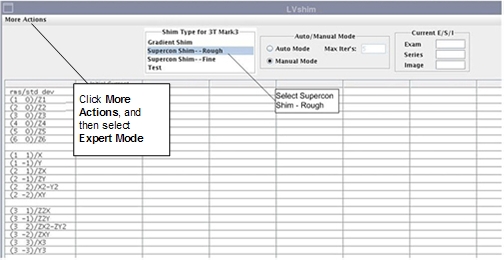
Select the shim type (gradient, supercon rough, supercon fine, or test) before you click Expert Mode, because the Expert Mode contents depend on the shim type.
Figure 1. Expert Mode
-
To access Expert Mode, select More Actions in the upper left section of the LVShim GUI, and select Expert Mode.