
- Optima MR450w BASE 1.5T System Service Methods
- 5690012-2EN Revision 3
- 00000018WIA303C8F20GYZ
- id_131067632.0
- Jul 19, 2019 11:01:02 AM
Printer Configuration for Film Composer
Prerequisites
| Required persons | Preliminary requirements | Procedure | Finalization |
|---|---|---|---|
| 1 | Not Applicable | 25 minutes | Not Applicable |
About this task
The DICOM Print feature allows configuration of the filming function to accommodate filming to any paper or film printer that is networked to the workstation through a DICOM printer.
When upgrading from Release 8.2.5 to 8.3, some vendor DICOM print equipment will need to be reconfigured to accept the new DICOM print AETitle. The old AETitle was Print_SCU; the new AETitle is hostname_DCP where hostname_DCP is the hostname of the computer (e.g., a hostname of signa has an AETitle of signa_DCP). This information must be given to the camera vendor to input the new AETitle name for cameras like the Kodak/Imation 8410 that require that the AETitle be pre-configured.
With HDMR 12.0 and all subsequent product releases, the Film Composer supports DICOM Color printing. If your paper printer supports DICOM Color, you will want to use DICOM as opposed to Postscript format. The setup for DICOM greyscale and color paper is identical—the printer and scanner will determine if the image is color or grayscale and set elements in the DICOM header appropriately. In the Film Composer setup, you need to select the appropriate media type (paper) and film size. There is no explicit configuration for color versus grayscale.
Configuring a DICOM printer for Film Composer
Procedure
- Select Configure option on the Film Composer
GUI. See Figure 1,
Figure 1. Film Composer GUI 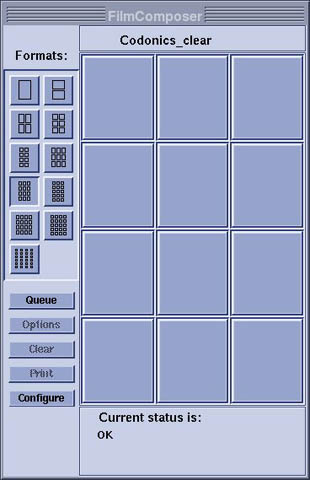
- A list of possible printers will appear. Select the printer
being used. See Figure 2.
Figure 2. Camera Configuration 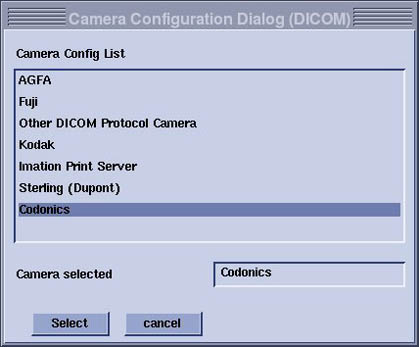
- After selecting the camera, the Configuration GUI will appear. Fill in necessary information. When done, click OK to configure the printer. For the Codonics Printer
see Table 2. Also see Figure 3.
Table 2. Codonics Printer Configuration Values Parameter Value Device name Codonics_Clear Hostname horizon IP address See network administrator AE title SCP Port 104 Film type can be Clear Film, Blue Film, or Paper Note:Contact camera vendors for other printer types.
Figure 3. Codonics Printer Parameters 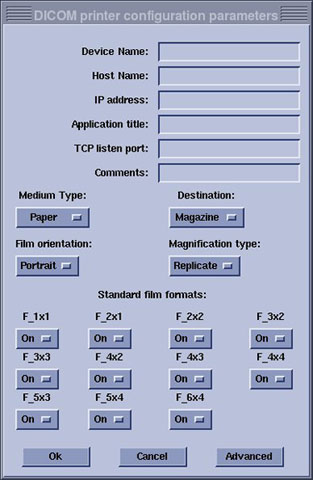 Note:
Note:Paper size can be selected by clicking on the “Advanced” option.
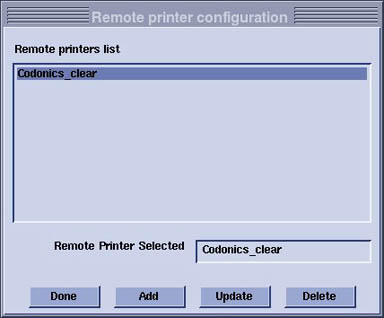
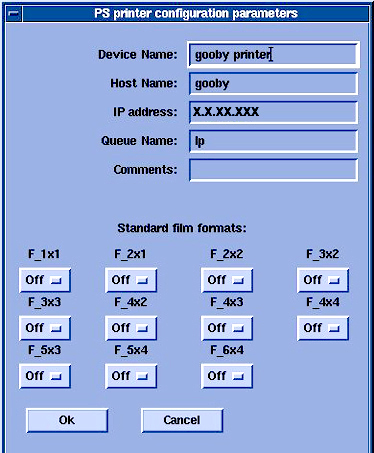
Configuring Postscript Printer for Film Composer
Finalization
Procedure
- After camera configuration, create a test film.
- Ensure the system is working before turning over to customer.