|
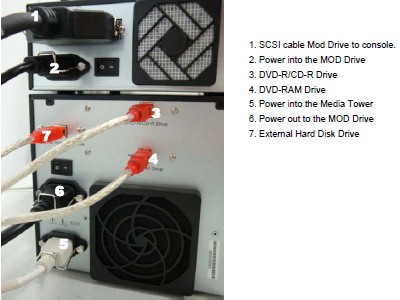
1. Install monitors and media/SCSI tower on the console
desktop, with cable connections to the console.
|
|
|
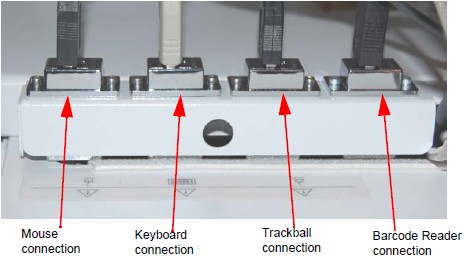
2. Install the SCIM, keyboard, trackball, and mouse with
cable connections to the console rear bulkhead.
|
|
|
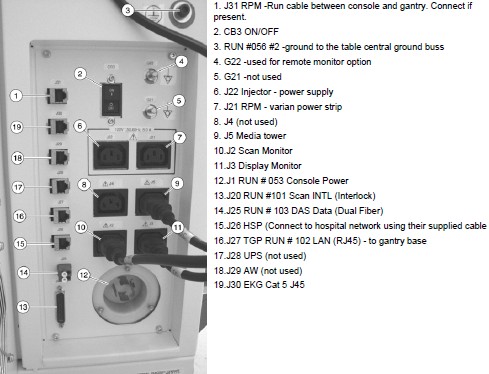
3. Connect power cable (Run #53), TGPU signal cable (Run
#101), ethernet cable (Run #102), fiber optic cable (Run #103), ground
cable (Run #56), and network cables to the console rear bulkhead.
|
|
|
4. Connect any Customer options cables (for example:
cardiac monitor, injector).
|
|
5. Connect all desktop power cables and console signal
cables to the console rear bulkhead.
|
|
6. Install drives for the console, using proper ESD precautions.
|
|
|
7. Optional MOD drive: Mount it on top of the media tower
and connect the drive.
|
|
8. Optional VeRB computer: mount the computer to the
console with network and power cable connections.
|
|
9. Optional USB barcode reader: connect the USB cable
to port USB A on the console.
|