- SIGNA™ Hero 3.0T Service Methods
- 5852800-8EN Revision 1.0
- 00000018WIA304BF450GYZ
- id_20242352.1
- Apr 30, 2020 2:04:21 PM
Managing default users
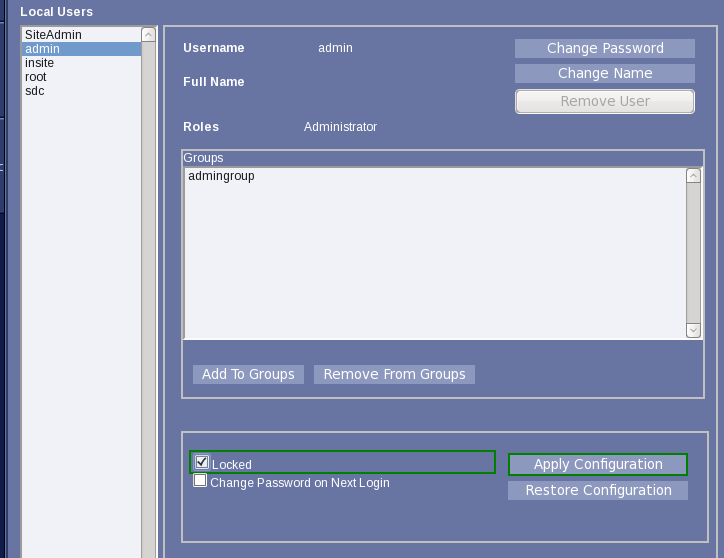
The system includes default users who are managed by the site and are not required to be active. The users cannot be deleted, but they can be disabled (locked).
Procedure
- For each of the users, admin, insite, root, and sdc:Note: Some users may not be available based on software revision.Select the account, check Locked, and click Apply Configuration.