- SIGNA™ Hero 3.0T Service Methods
- 5852800-8EN Revision 1.0
- 00000018WIA3010B650GYZ
- id_20251412.0
- Feb 22, 2021 1:46:11 AM
Exporting private keys for a third-party client
Export private keys for a third-party client.
Procedure
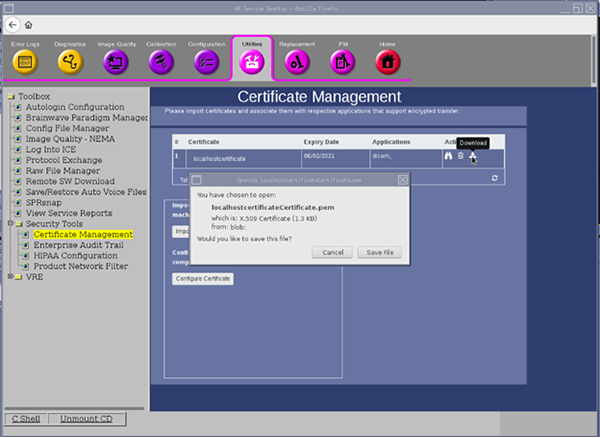
- Click the Download icon on the applicable host certificate. This will download a third-party public key that can be used to install on any client that intends to send encrypted data to the MR Scanner.
Figure 1. Download a third-party public key