Center Cover
Prerequisites
Procedure
- Remove following cover.
-
Control panel (Center) (Refer to Magnet Enclosure Control Panel.)
-
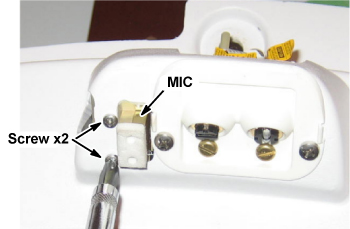
- Remove 2 screws fixing MIC.
Figure 1. Removing MIC Fixing Screw
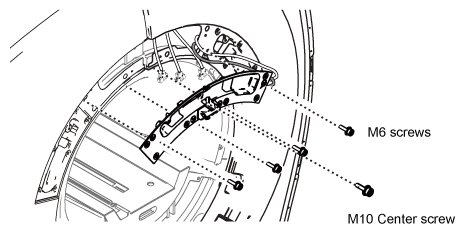
- Remove four M6 screws and one M10 screw fixing center cover.
Figure 2. Remove Center Cover Fixing Screws
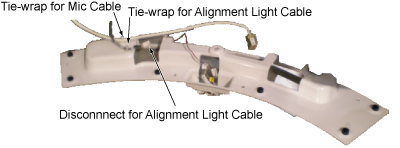
- Disconnect JP1 of Alignment Light Cable (RUN M3525).
- Cut tie-wraps of MIC cable and Alignment Light Cable.
Figure 3. Front Cover Back View
- Remove center cover.
- Installation is reverse order of removal.
Finalization
No finalization steps.