1.5T 8-Channel Body Array Coil Setup for MCQA Test
Prerequisites
Follow this process to prepare for the automated SNR test using the 1.5T HD Body Array Coil by GE/USAI (M3335MC).
note:
Coils do not ship with phantoms. Phantoms come in a unified phantom set with the MR system.
1 Legacy Phantom Procedure
Procedure
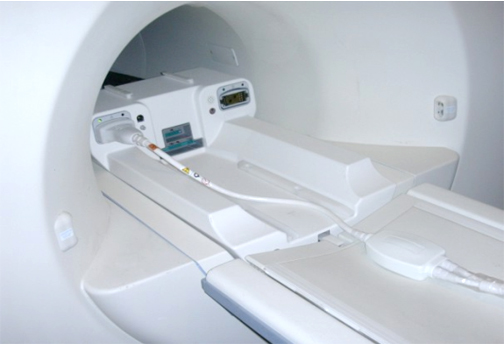
- Position the coil in the cradle, connect the cable as shown
in Figure 1.
Figure 1. Connecting the Coil
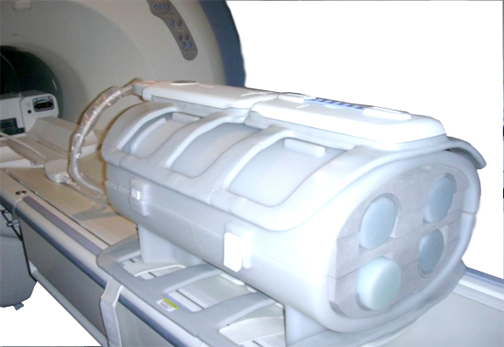
- Place a phantom between Posterior and Anterior parts of the
coil as shown in Figure 2.
Figure 2. Positioning Phantom
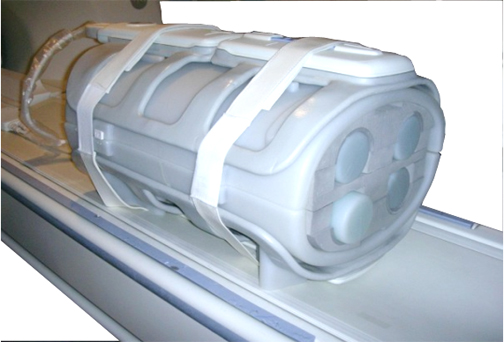
- Secure the coil over the phantom by strips as it shown in Figure 3.
Figure 3. Securing Coil Over Phantom
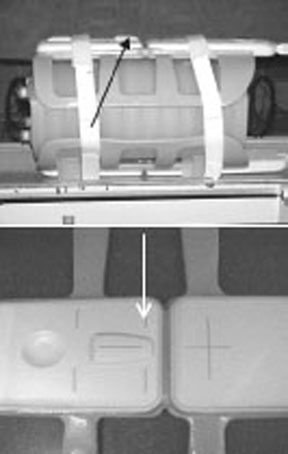
- Landmark the coil at the indicated line (arrows) as shown in Figure 4.
Figure 4. Landmarking the Coil
- Perform the MCQA Test if it is available, otherwise perform the SNR Test.
note:
If installing the coil for the first time in a system, please refer to Auto Coil Install.
2 Unified Phantom Procedure
Procedure
- Place the posterior section of the coil on the table. See Figure 5.
Figure 5. Posterior Section of Coil on Table
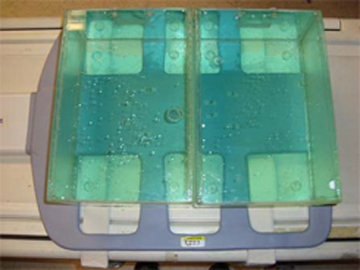
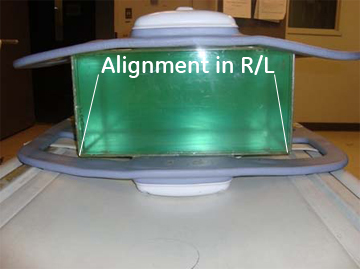
- Place the TL unified phantoms over the posterior section as
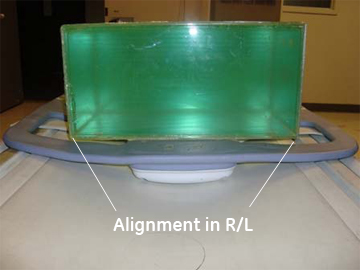
in Figure 5 such that the TL unified phantoms are well centered on both S/I
directions as shown in Figure 6 and R/L direction as shown in Figure 7.
Figure 6. Phantom Posterior Aligned on S/I Direction
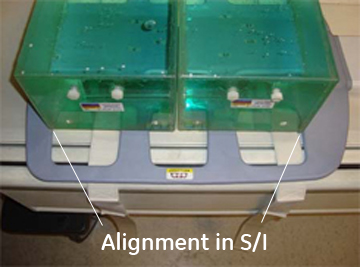
Figure 7. Phantom Posterior Aligned on R/L Direction
- Place the anterior section on the TL unified phantoms such that
the coil is well centered in both S/I and R/L directions with respect
to the phantom set as shown in Figure 8 and Figure 9.
Figure 8. Phantom Anterior Aligned on S/I Direction
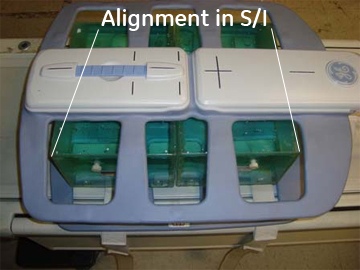
Figure 9. Phantom Anterior Aligned on R/L Direction
- Fasten the Velcro straps so that the coil firmly snugs the phantoms.
- Connect the coil to Port A of the system LPCA.
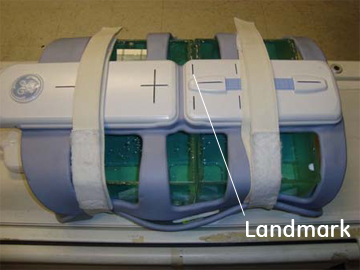
- Landmark the coil at the center cross mark as shown in Figure 10 and advance
to scan.
Figure 10. Landmark the Coil
- Perform the MCQA Test.
3 Finalization
Finalization
No finalization steps.