- Optima MR450w BASE 1.5T System Service Methods
- 5690012-2EN Revision 3
- 00000018WIA305D7650GYZ
- id_20247231.24
- Sep 1, 2020 6:00:17 PM
Configuring DICOM image transfers to a network node
Configure DICOM image transfers to a network node and check for successful DICOM network node configuration.
Prerequisites
| Personnel requirements | |||
|---|---|---|---|
| Required persons | Preliminary requirements | Procedure | Finalization |
| 1 | - | 10 minutes | - |
Procedure
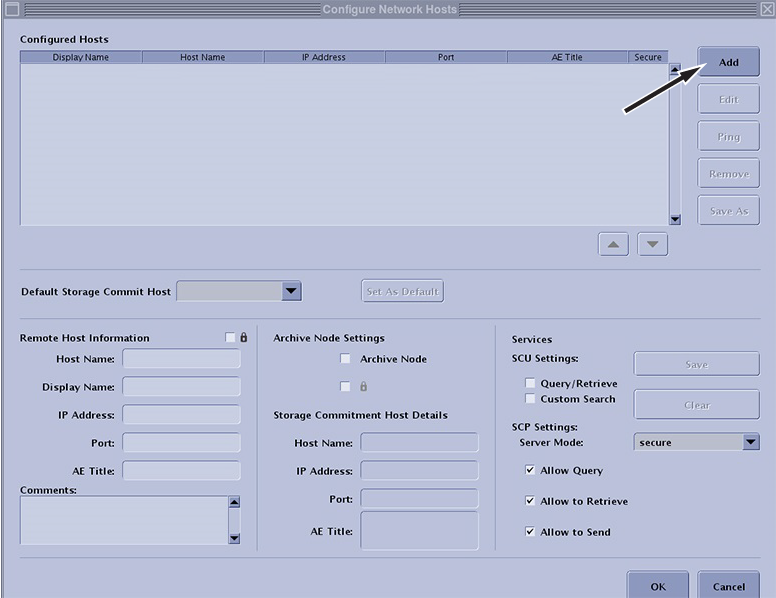
- In the Configure Network Hosts window, click Add.
Figure 1. Add a remote host