- Topic ID: id_11038746
- Version: 2.0
- Date: Jan 30, 2019 9:42:51 PM
DCB Diagnostics
This procedure defines the process for DCB diagnostics.
1 Error Display
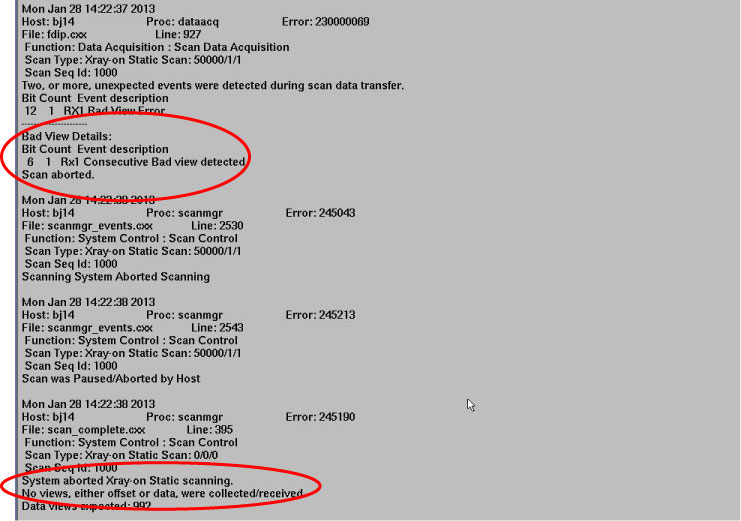
If system can not scan normally, or scan is paused/aborted, and the similar error message shown in Figure 1, so DIP, Slip Ring and DCB are maybe disable.
Figure 1. Error Message
2 DIP Diagnostics
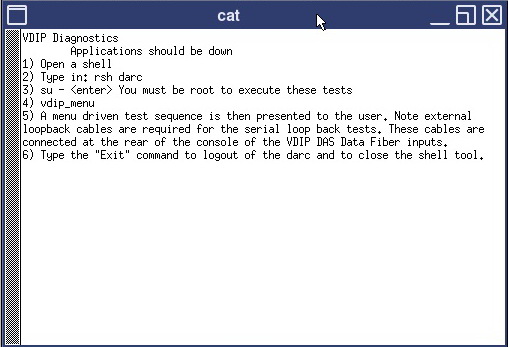
Access Service Desktop –> Diagnostics –> DIP Diagnostics.
Figure 2. DIP Diagnostics
3 Slip Ring Diagnostics
Refer to the correlative procedure of Slip Ring diagnostics.
4 DCB Diagnostics
- Rotate the gantry until the tube reaches the 5 o’clock position.
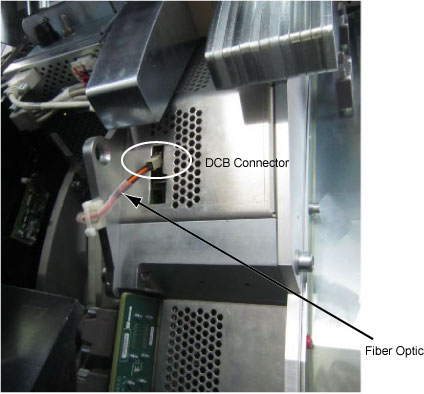
- Disconnect the fiber optic from DCB board.
Figure 3. Disconnect Fiber Optic from DCB
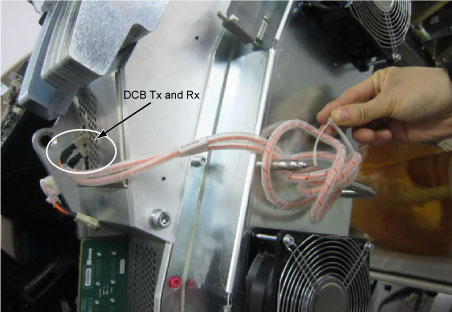
- Connect the DCB fiber optic cable to DCB Tx and Rx, then fix
it with tie-wrap.
Figure 4. Connect DCB Fiber Optic
- Open a shell.
Type: rlogin orp
Type: vsc_dcb
Type: tm
Type: lb
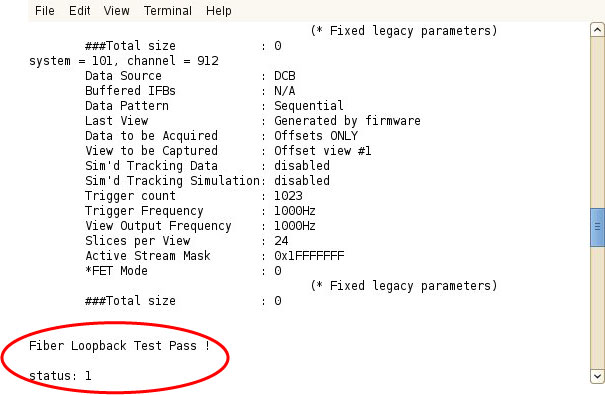
- If fiber loopback test pass, DCB board is operating normally.
Figure 5. Pass Status
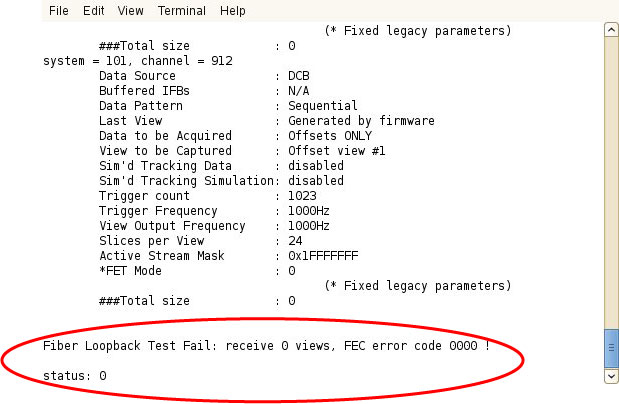
If fiber loopback test fail, DCB board is operating abnormally, refer to Vyper DAS Control Board Replacement to replace DCB board.
Figure 6. Fail Status
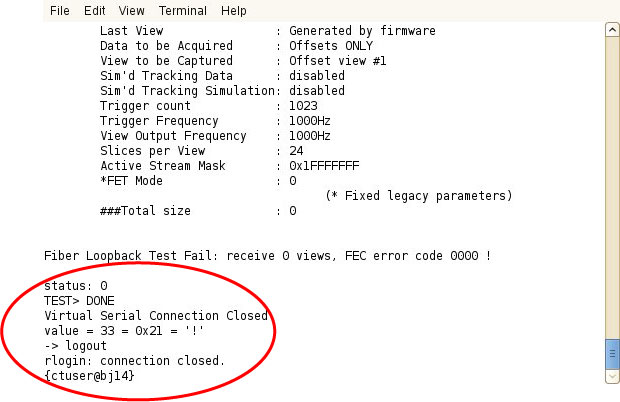
- Type the following commands to exit the diagnostic connection.
Type: DONE
Type: logout
Figure 7. Exit Connection
- Restore the gantry to original configuration.
5 Finalization
Verify proper functionality.